EasyManua.ls Logo

PSI FluorPen FP 110 - User Manual

Default Icon
57 pages
Print Icon
To Next Page IconTo Next Page
Loading...
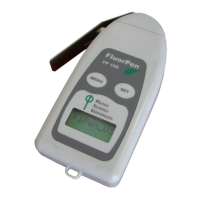
FluorPen FP 110
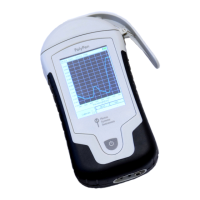
PAR-FluorPen FP 110
Monitoring Pen MP 100
Manual and User Guide
Please read this manual before operating this product
PSI, spol. s r. o., Drásov 470, 664 24 Drásov, Czech Republic
FAX: +420 511 440 901, TEL: +420 511 440 011, www.psi.cz

Other manuals for PSI FluorPen FP 110

Question and Answer IconNeed help?

Do you have a question about the PSI FluorPen FP 110 and is the answer not in the manual?

Summary

INFORMATION BEFORE USING FLUORPEN DEVICE

TECHNICAL SPECIFICATION

GENERAL INFORMATION

DEVICE DESCRIPTION

Detailed overview of the FluorPen device's physical components and features.

LIST OF EQUIPMENT

CARE AND MAINTENANCE

PRINCIPLE OF MEASUREMENT

HOW TO GET STARTED

PULSES DESCRIPTION AND SETTING

Explanation of different light pulses and their optimal intensity settings for measurements.

MEASUREMENT

Procedure for performing fluorescence measurements and data storage.

PROTOCOLS EXPLANATION

Detailed explanation of various measurement protocols including OJIP, NPQ, and LC.

MULTIPLE MEASUREMENT

Guide to performing sequential measurements with adjustable parameters and averaging.

CONTROL MENU TREE

MAIN MENU

Overview of the FluorPen's main menu structure and navigation using SET and MENU keys.

MEASURE SUB-MENU

Detailed flow of the Measure sub-menu for selecting and performing various fluorescence measurements.

DATA SUB-MENU

Navigating the Data sub-menu for browsing and erasing previously measured data.

SETTING SUB-MENU

Guide to the Setting sub-menu for configuring device parameters like light, time, and sound.

USB CONNECTION

BLUETOOTH CONNECTION

BLUETOOTH PAIRING

Step-by-step instructions for pairing the FluorPen device with a computer via Bluetooth.

FLUORPEN SOFTWARE

SOFTWARE INSTALLATION

Instructions for installing and registering the FluorPen software on a computer.

MENU AND ICON EXPLANATION

Explanation of the FluorPen software's main menus, sub-menus, and icons, including Main Menu, Settings, and Online Control.

DATA TRANSFER AND VISUALIZATION

Process for downloading, transferring, and visualizing measurement data from the FluorPen.

GPS MODULE

GPS; FLUORPEN OPERATION

Steps to activate and use the GPS module for recording location data with measurements.

DATA DOWNLOAD

Procedure for downloading data, including GPS coordinates, from the FluorPen to a PC.

WARRANTY TERMS AND CONDITIONS

TROUBLESHOOTING AND CUSTOMER SUPPORT

APPENDIX

BATTERY PACK FOR MONITORING PEN

Information regarding the external battery pack for Monitoring Pen devices, covering standard and extended temperature range types.

Summary

INFORMATION BEFORE USING FLUORPEN DEVICE

TECHNICAL SPECIFICATION

GENERAL INFORMATION

DEVICE DESCRIPTION

Detailed overview of the FluorPen device's physical components and features.

LIST OF EQUIPMENT

CARE AND MAINTENANCE

PRINCIPLE OF MEASUREMENT

HOW TO GET STARTED

PULSES DESCRIPTION AND SETTING

Explanation of different light pulses and their optimal intensity settings for measurements.

MEASUREMENT

Procedure for performing fluorescence measurements and data storage.

PROTOCOLS EXPLANATION

Detailed explanation of various measurement protocols including OJIP, NPQ, and LC.

MULTIPLE MEASUREMENT

Guide to performing sequential measurements with adjustable parameters and averaging.

CONTROL MENU TREE

MAIN MENU

Overview of the FluorPen's main menu structure and navigation using SET and MENU keys.

MEASURE SUB-MENU

Detailed flow of the Measure sub-menu for selecting and performing various fluorescence measurements.

DATA SUB-MENU

Navigating the Data sub-menu for browsing and erasing previously measured data.

SETTING SUB-MENU

Guide to the Setting sub-menu for configuring device parameters like light, time, and sound.

USB CONNECTION

BLUETOOTH CONNECTION

BLUETOOTH PAIRING

Step-by-step instructions for pairing the FluorPen device with a computer via Bluetooth.

FLUORPEN SOFTWARE

SOFTWARE INSTALLATION

Instructions for installing and registering the FluorPen software on a computer.

MENU AND ICON EXPLANATION

Explanation of the FluorPen software's main menus, sub-menus, and icons, including Main Menu, Settings, and Online Control.

DATA TRANSFER AND VISUALIZATION

Process for downloading, transferring, and visualizing measurement data from the FluorPen.

GPS MODULE

GPS; FLUORPEN OPERATION

Steps to activate and use the GPS module for recording location data with measurements.

DATA DOWNLOAD

Procedure for downloading data, including GPS coordinates, from the FluorPen to a PC.

WARRANTY TERMS AND CONDITIONS

TROUBLESHOOTING AND CUSTOMER SUPPORT

APPENDIX

BATTERY PACK FOR MONITORING PEN

Information regarding the external battery pack for Monitoring Pen devices, covering standard and extended temperature range types.

PSI FluorPen FP 110 Specifications

General IconGeneral
BrandPSI
ModelFluorPen FP 110
CategoryMeasuring Instruments
LanguageEnglish

Related product manuals