Chapter 6: Configuring Communications
NETBOOK PRO Bluetooth Settings
86
Psion Teklogix NETBOOK PRO Win CE 4.2 User Manual
Important: Other Bluetooth devices that connect with the NETBOOK PRO
may use different terminology for some features (i.e. Authentica-
tion, Pairing, Bonding, etc.). Verify that the features being config-
ured are the same on each device.
6.4.1 NETBOOK PRO Bluetooth Settings
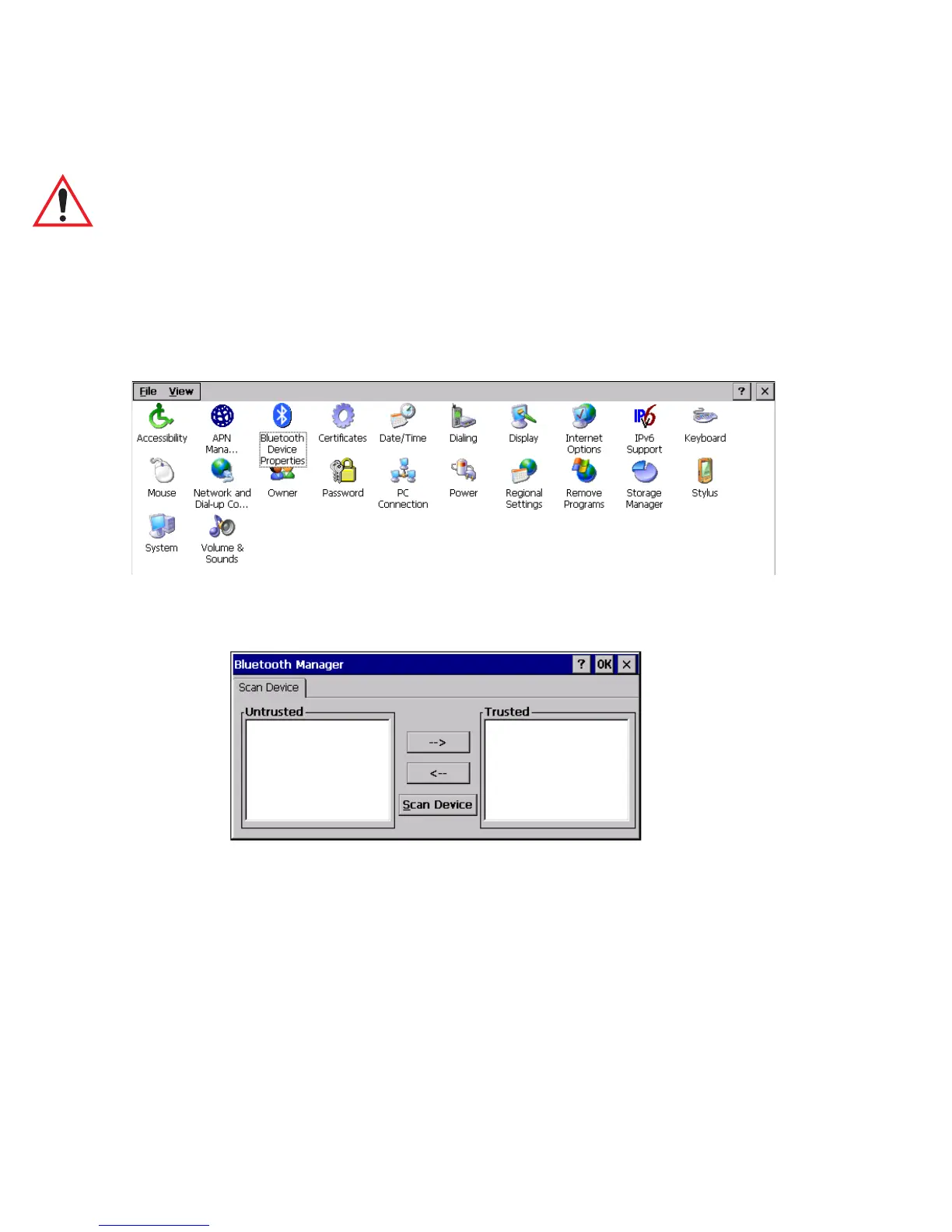
1. Open the Control Panel and double-click on the Bluetooth Device
Properties icon.
The Bluetooth Manager dialog opens.
2. Ensure that the intended device (another NETBOOK PRO, a Zebra
®
printer, etc.) is powered on and that its Bluetooth radio is enabled (this
is automatic for Zebra printers and the NETBOOK PRO).
3. Click on the Scan Device button and wait for the NETBOOK PRO to
complete its scan (approximately 20 seconds). Services offered by
discovered devices will be displayed on the left side in the Untrusted



 To Next Page