Psion Teklogix NETBOOK PRO Win CE 4.2 User Manual 27
Chapter 2: Getting Started
Inserting And Removing A PCMCIA Card
2.6.3 Inserting And Removing A PCMCIA Card
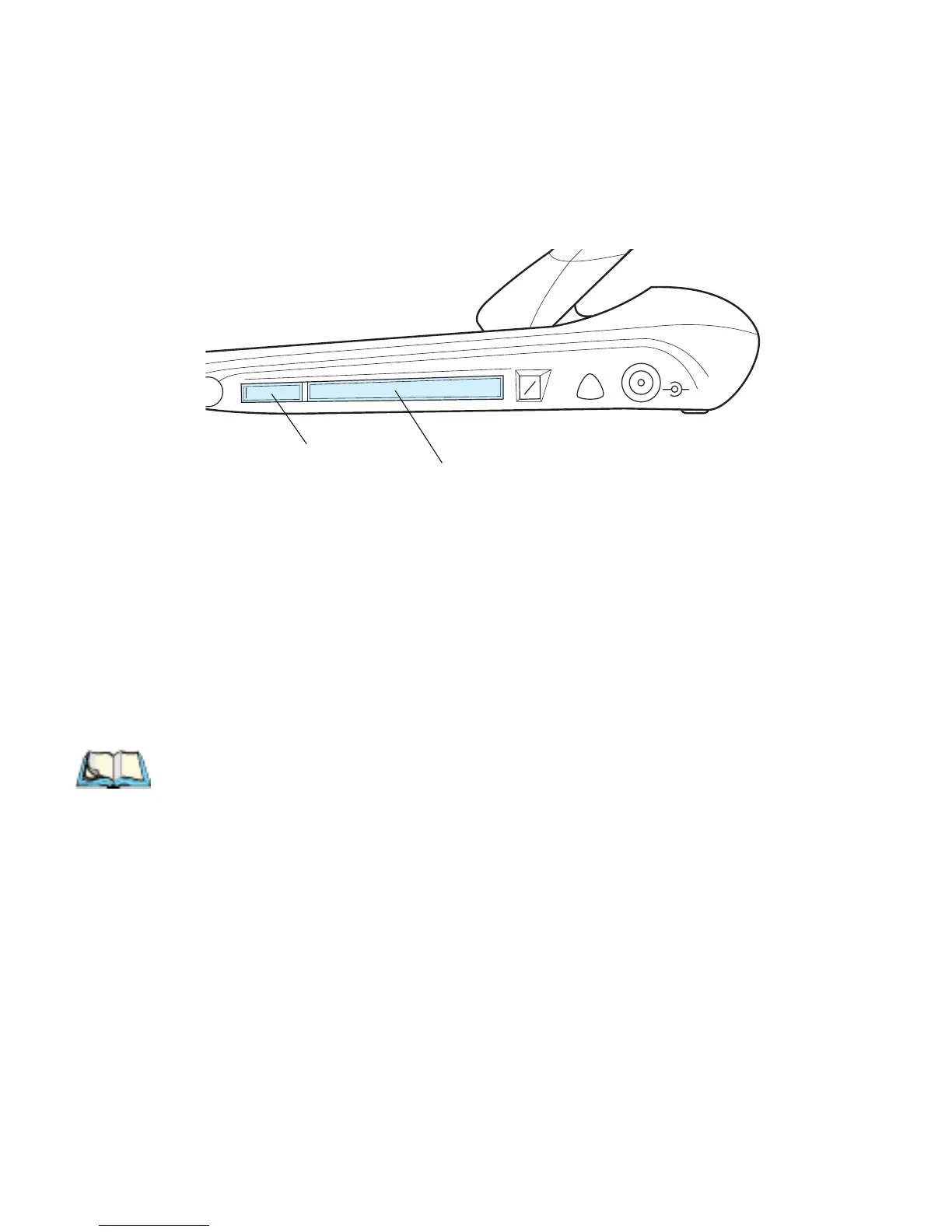
The PCMCIA card slot is located on the right-hand side of the NETBOOK PRO
(see Figure 2.13).
Figure 2.13 PCMCIA Slot Location
PCMCIA cards are keyed so that they may not be inserted incorrectly. When a
memory card is inserted, a folder for it appears in the Windows Explorer file
browser.
To insert a PCMCIA card:
• Push the card into the card slot until it clicks. The eject button next to the
card slot pops out.
Note: The Eject button may be folded back against the side of the NETBOOK
PRO when a PCMCIA card is inserted.
To remove a card:
• Press the eject button next to the slot inwards. The card pops loose, and can
then be pulled outwards.
Store your PCMCIA card safely.
Eject Button
PCMCIA Card Slot



 To Next Page