Chapter 6: Configuring Communications
802.11b Radio Configuration
78
Psion Teklogix NETBOOK PRO Win CE 4.2 User Manual
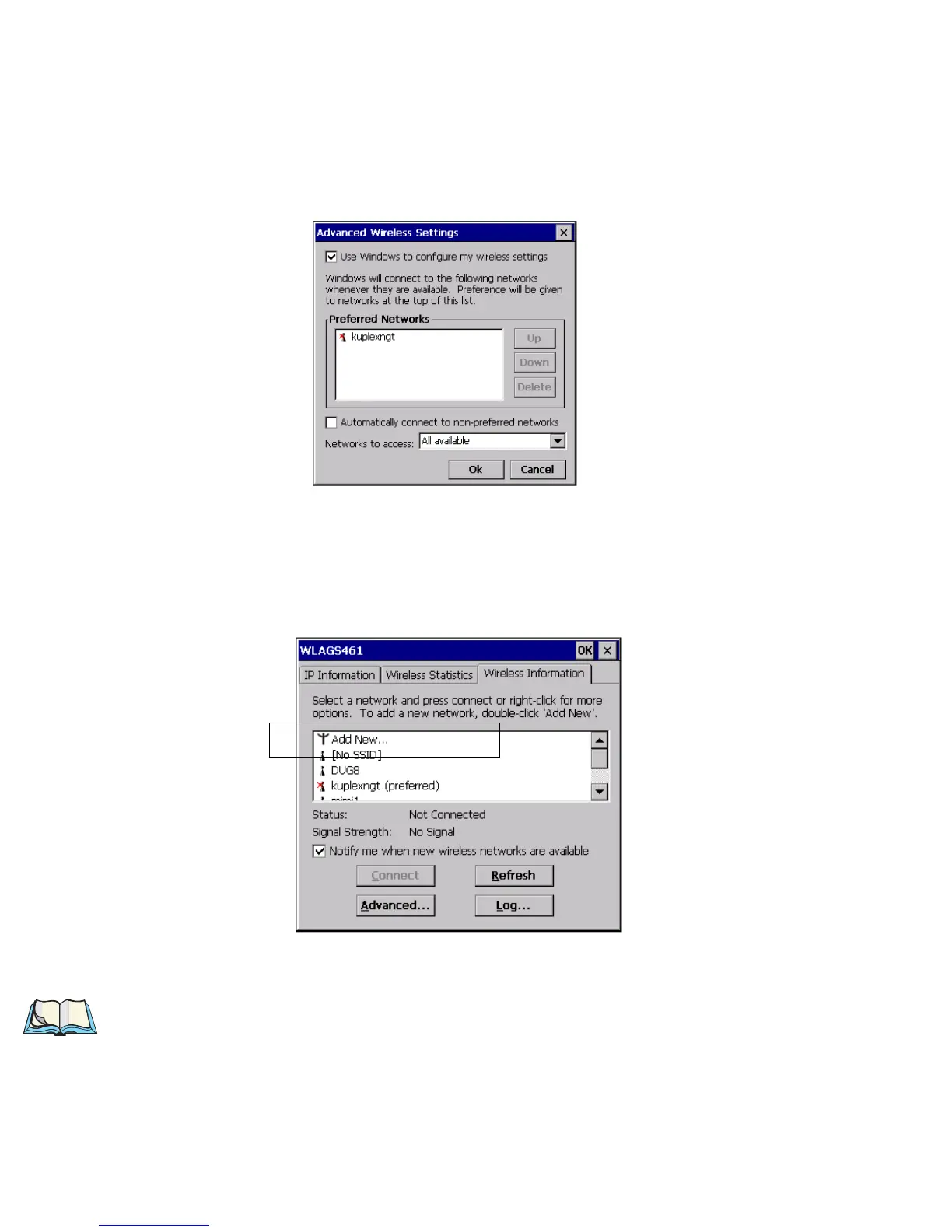
2. By clicking on Advanced in the Wireless Information tab, you can
access the settings screen to adjust priority of network connections.
3. Select the Use Windows to configure my wireless settings checkbox.
4. You can add a network, configure WEP for security, and enable IEEE
802.1X authentication by double-clicking on the Add New selection in
the Wireless Information tab
5. The Wireless Network Properties dialog opens for a new network.
Note: Double-click on an existing network in the list to open the Wireless
Network Properties dialog and display the parameters of the existing net-
work.



 To Next Page