EasyManua.ls Logo

Psion 3a Series - Page 32

Psion 3a Series
288 pages
Print Icon
To Next Page IconTo Next Page
To Previous Page IconTo Previous Page
Loading...
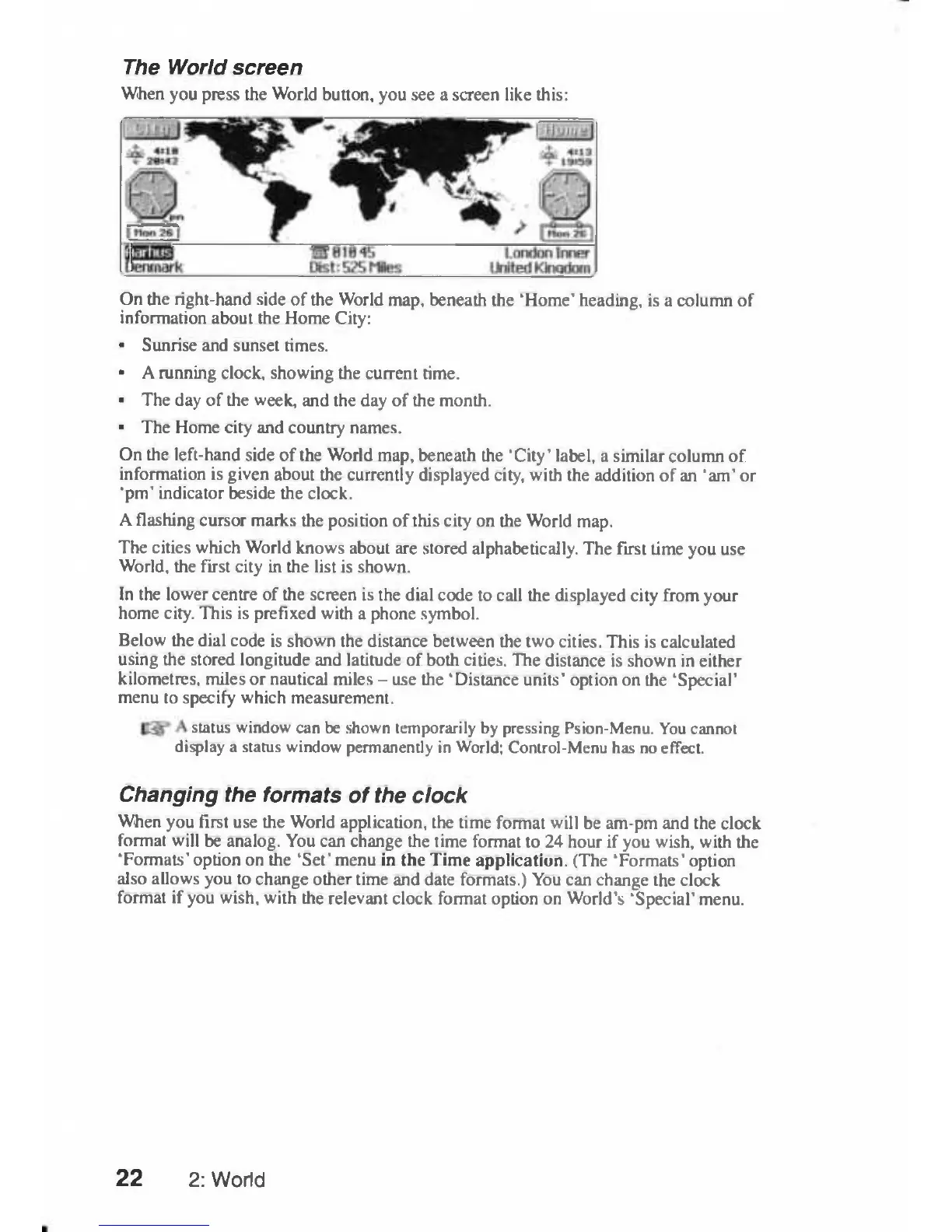
The
World
screen
When
you
press
the
World
button,
you
see
a
screen
like
this:
On
the
right-hand
side
of
the
World
map,
beneath
the
'Home'
heading,
is
a
column
of
information
about
the
Home
City:
Sunrise
and
sunset
times.
A
running clock,
showing
the
current
time.
The
day
of
the
week,
and
the
day
of
the
month.
The
Home
city
and
country
names.
On
the
left-hand
side
of
the
World
map,
beneath
the
'
City'
label,
a
similar
column
of
information
is
given
about
the
currently
displayed
city,
with
the
addition
of
an
'am'
or
'pm'
indicator
beside
the clock.
A
flashing
cursor
marks
the
position
of
this
city
on
the
World
map.
The
cities
which
World
knows
about
are
stored
alphabetically.
The
first
time
you
use
World,
the
first
city
in
the
list
is
shown.
In
the
lower
centre
of
the screen
is
the
dial
code
to
call
the
displayed
city
from
your
home
city.
This
is
prefixed
with
a
phone
symbol.
Below
the
dial
code
is
shown
the
distance
between
the
two
cities.
This
is
calculated
using
the
stored
longitude
and
latitude
of
both
cities.
The
distance
is
shown
in
either
kilometres,
miles
or
nautical
miles
-
use
the
'Distance
units'
option
on
the
'Special'
menu
to
specify
which
measurement.
status
window
can
be
shown
temporarily
by
pressing
Psion-Menu.
You
cannot
display
a
status
window
permanently
in
World;
Control-Menu
has
no
effect.
Changing
the
formats
of
the
clock
When
you
first
use
the
World
application,
the
time
format
will
be
am-pm
and
the
clock
format
will
be
analog.
You
can
change
the
time
format
to
24
hour
if
you
wish,
with
the
'Formats'
option
on
the
'Set'
menu
in
the
Time
application.
(The
'Formats'
option
also
allows
you
to
change
other
time
and
date formats.)
You
can
change
the
clock
format
if
you
wish,
with
the
relevant
clock
format
option
on
World's
'Special'
menu.
22
2:
World

Table of Contents

Related product manuals