EasyManua.ls Logo

Psion 3a Series - Decimal Places and Number Formats

Psion 3a Series
288 pages
Print Icon
To Next Page IconTo Next Page
To Previous Page IconTo Previous Page
Loading...
message
'Overflow'
is
displayed.
An
'Underflow'
or
'Bad
number'
message
is
shown
if
non-zero
numbers
are
smaller
than
±le-99
.
In
a
very
large
result,
the
positive
exponent
is
displayed
with
a
+
sign-
le+10
and
lelO
being the
same
number.
When
using
a
number
between
0
and
1
in
a
calculation,
you
can
miss
out
the
0
-
you
can
use
.
5
instead
of
0.5,
and
so
on.
Decimal
places and
number
formats
Calculations
are
accurate
to
at least
12
digits.
Results
are
initially
shown
in
'General'
format,
showing
as
many
decimal
places
as
necessary,
up
to
the
maximum
of
12. For
example,
1/3
gives
0.33333333
3333
,
while
1/4
gives
0.25.
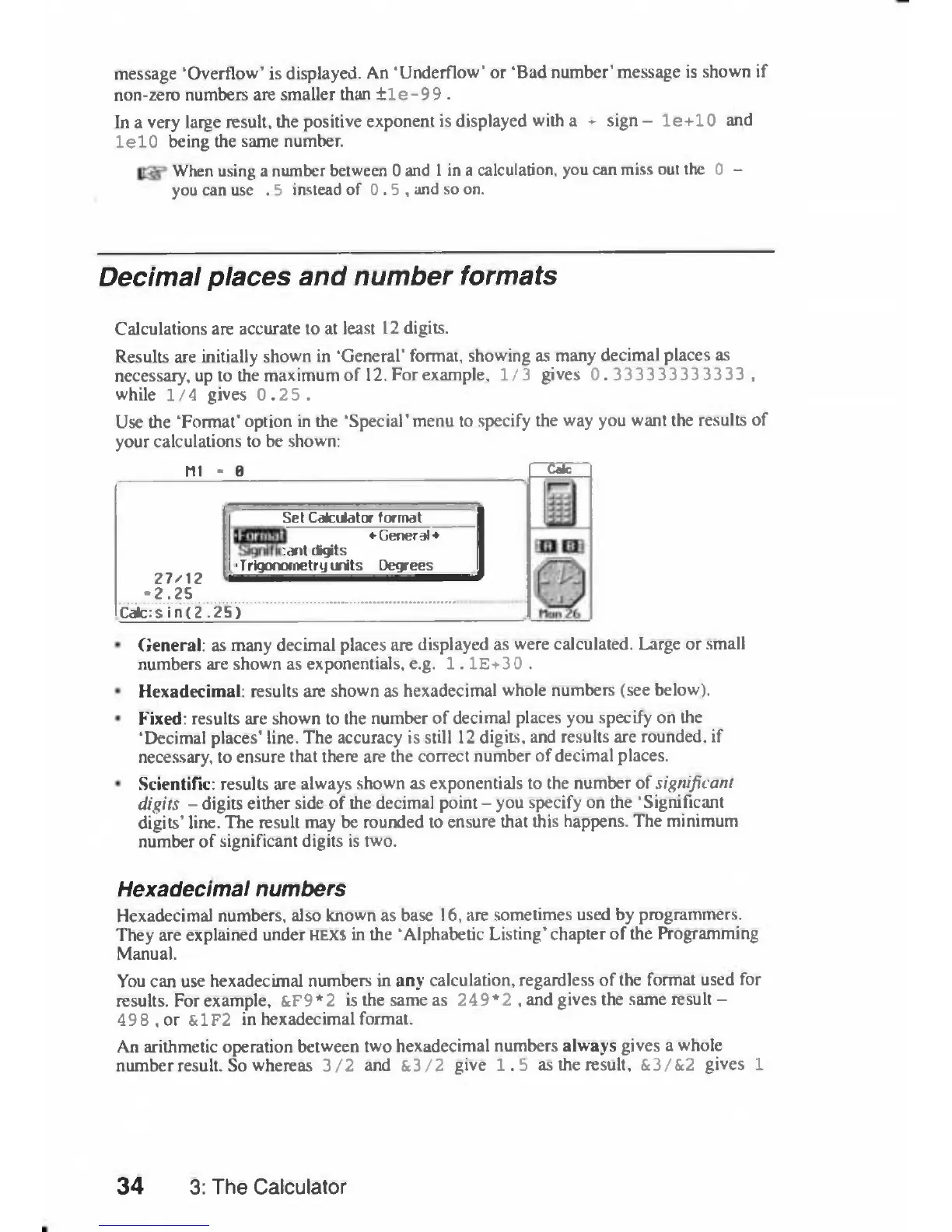
Use
the
'Format'
option
in
the
'Special'
menu
to
specify
the
way
you
want
the
results
of
your
calculations
to
be
shown:
Ml
-
0
Z7/12
-2.25
Set
Calculator
format
»
General
ant
digits
•Trigonometry
units
Degrees
Calc:sin(2.25)
Calc
General:
as
many
decimal
places
are
displayed
as
were
calculated.
Large
or
small
numbers
are
shown
as
exponentials,
e.g.
1.
IE+3
0
.
Hexadecimal:
results
are
shown
as
hexadecimal
whole
numbers
(see
below).
Fixed:
results
are
shown
to
the
number
of
decimal
places
you
specify
on
the
'Decimal
places'
line.
The
accuracy
is
still
12
digits,
and
results
are
rounded,
if
necessary,
to
ensure
that
there
are
the
correct
number
of
decimal places.
Scientific:
results
are
always
shown
as
exponentials
to
the
number
of
significant
digits
-
digits
either
side
of
the
decimal
point
-
you
specify
on
the
'Significant
digits'
line. The
result
may
be
rounded
to
ensure
that
this
happens.
The
minimum
number
of
significant
digits
is
two.
Hexadecimal
numbers
Hexadecimal
numbers,
also
known
as
base
16,
are
sometimes
used
by
programmers.
They
are
explained
under
HEX$
in
the 'Alphabetic
Listing'
chapter
of
the
Programming
Manual.
You
can
use
hexadecimal
numbers
in
any
calculation,
regardless
of
the
format
used
for
results.
For
example,
&F9*2
is
the
same
as
249*2
,
and
gives
the
same
result
-
498,or
&1F2
in
hexadecimal
format.
An
arithmetic
operation
between
two
hexadecimal numbers
always
gives
a
whole
number
result.
So
whereas
3/2
and
&3/2
give
1.5
as
the
result,
&3/&2
gives
1
34
3:
The
Calculator

Table of Contents

Related product manuals