EasyManua.ls Logo

Psion 3a Series - The List View

Psion 3a Series
288 pages
Print Icon
To Next Page IconTo Next Page
To Previous Page IconTo Previous Page
Loading...
The
Spacebar
moves
to
today.
Pressing
it
again
returns
to
the
day
you
were
on.
Tip:
To
get
to
the
end
of
a
day
full
of
entries,
use
PgDn
(Psion-1)
then
t.
Changing
the
appearance
of
the
Week
view
Select
the
'Set
preferences'
option
on
the
'Special'
menu,
and then
the
'Week
view'
suboption
on
the
menu
shown.
The
'Preferences
in
Week
view'
dialog
lets
you
set
the
position
of
the
title,
the
display
of
entry
durations
and
end
times,
and
the
entry
types
which
are
allowed
in
the
Week
view.
You
may
wish
to
exclude
to-do
entries
from
display
in
the
Week
view,
to
prevent
today's
slot
from
becoming
cluttered.
IKg
3
The
Week
view
always
displays
entries
in
two
columns;
use
the
List
view
to
show
a
single
column
of
entries.
The
List
view
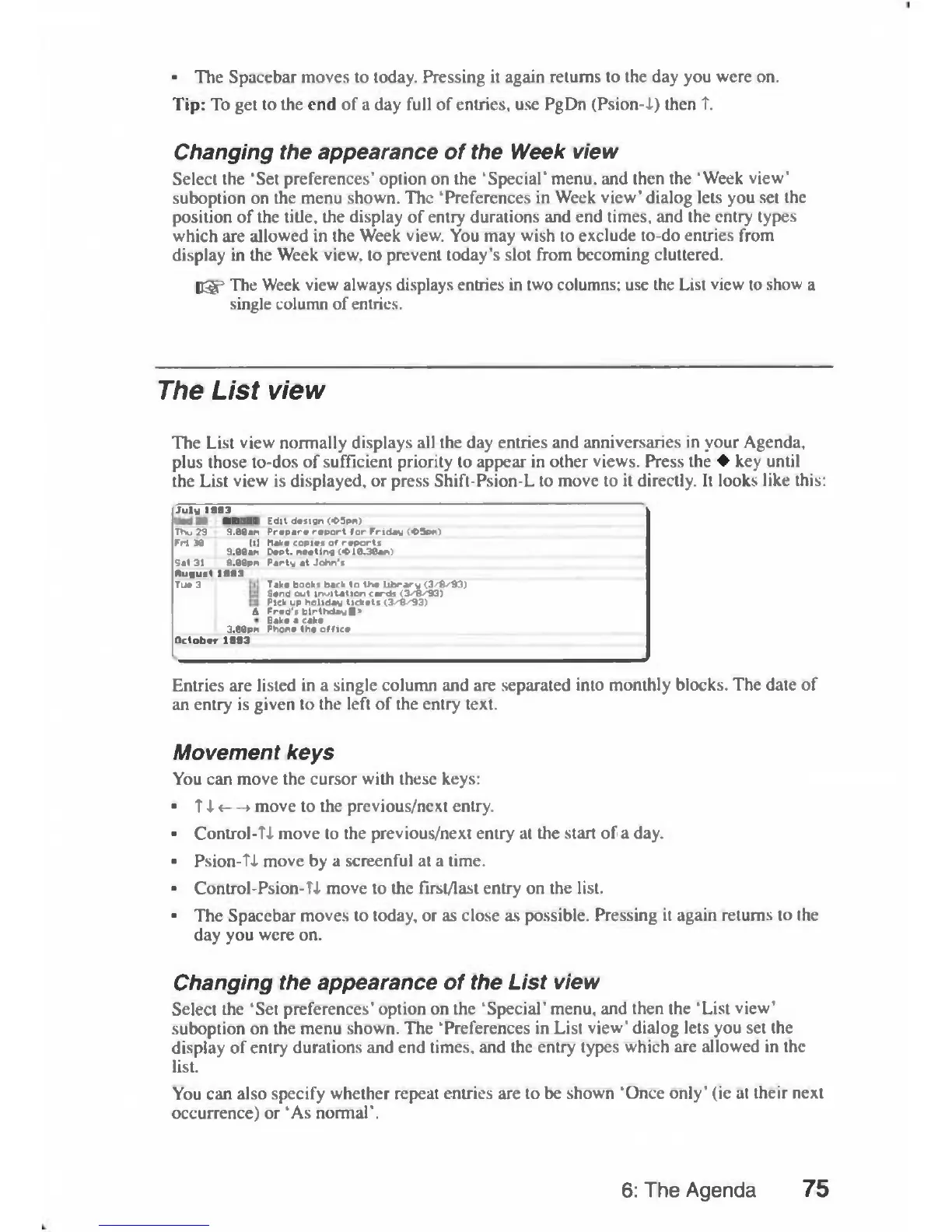
The
List
view
normally
displays
all
the
day
entries
and
anniversaries
in
your
Agenda,
plus
those
to-dos
of
sufficient
priority
to
appear
in
other
views.
Press
the
key
until
the
List
view
is
displayed,
or
press
Shift-Psion-L
to
move
to
it
directly.
It
looks
like
this;
July
1993
Ued
28
KKKTIBI
Edit
design
(«D5pn)
Thu
29
9.00t>n
Prepare
report
for
Friday
<05pr)
Fri
30
111
3.00
AM
Make
copies
of
reports
Dept.
Meeting
(*l&38an)
Sat
31
9.00PM
Party
at
John's
Rugust1993
Tue
3
A
3.00PM
Take
books
back
to
the
library
(3/8^93)
Send
out
inoitation
cards
(3^8^93)
Pick
up
holiday
tickets
(3^8^93)
Fred's
birthdayfl>
Bake
a
cake
Phone
the
office
October
1993
Entries
are
listed
in
a
single
column
and
are
separated
into
monthly
blocks.
The
date
of
an
entry
is
given
to
the
left
of
the
entry
text.
Movement
keys
You
can
move
the
cursor
with
these
keys:
T
A«—>
move
to
the
previous/next
entry.
Control-Ti
move
to
the
previous/next
entry
at
the
start
of
a
day.
Psion-ti
move
by
a
screenful
at
a
time.
Control-Psion-Ti
move
to
the
first/last
entry
on
the
list.
The
Spacebar
moves
to
today,
or
as
close
as
possible.
Pressing
it
again
returns
to
the
day
you
were
on.
Changing
the
appearance
of
the
List
view
Select
the
'Set
preferences'
option
on
the
'Special'
menu,
and
then
the
'List
view'
suboption
on
the
menu
shown.
The
'Preferences
in
List
view'
dialog
lets
you
set
the
display
of
entry
durations
and
end
times,
and
the
entry
types
which
are
allowed
in
the
list.
You
can
also
specify
whether
repeat
entries
are
to
be
shown
'Once
only'
(ie
at
their
next
occurrence)
or
'As
normal'.
6:
The
Agenda
75

Table of Contents

Related product manuals