EasyManua.ls Logo

Psion 3a Series - Repeating an entry

Psion 3a Series
288 pages
Print Icon
To Next Page IconTo Next Page
To Previous Page IconTo Previous Page
Loading...
Time
slots
and
slot
compression
To
insert
a
second
entry
in
a
time
slot,
simply
type
it
as
you
did
the
first
one.
A
new
line
will
be
created
for
it
automatically.
Notice
that
when
a
time
slot
needs
more
than
one
line
to
show
its
entry
or
entries,
the
slot
expands
to
accommodate
the
second
entry,
while
other
time
slots
without
entries
reduce
in
size.
This
feature
is
called
slot
compression;
it
allows
the
maximum
number
of
entries
and
empty
time
slots
to
be
displayed.
(Ig
3
If
you
wish,
you
can
turn
slot
compression
off.
See
"Changing
the
appearance
of
the
Day
view",
later
in
this
chapter.
Changing
the
display
of
entries
The
'Zoom
in'
and
'Zoom
out'
options
on
the
Special
menu
allow
you
to
cycle
through
the
fonts
available.
The
'Wrap
on/off'
option,
also
on
the
'Special'
menu,
controls
whether
long
entries
word-wrap
on
the
screen,
or
are
just
truncated.
Birthdays
and
other
anniversaries
You
can
use
the
Anniversary
view
to
enter
birthdays
and
other
anniversaries,
rather
than
entering
them
as
untimed
day
entries.
The
Agenda
then
"knows"
that
they
are
anniversaries,
i.e.
that
they
repeat
every
year,
and
will
insert
them
into
your
Agenda
every
year.
It
will
also
display
age
(for
birthdays)
and/or
the
start
year
(for
anniversaries)
for
you.
The
Anniversary
view
Press
the
key
until
you
reach
the
Anniversary
view,
or
press
the
Shift-Psion-A
hot-key
to
move
there
directly.
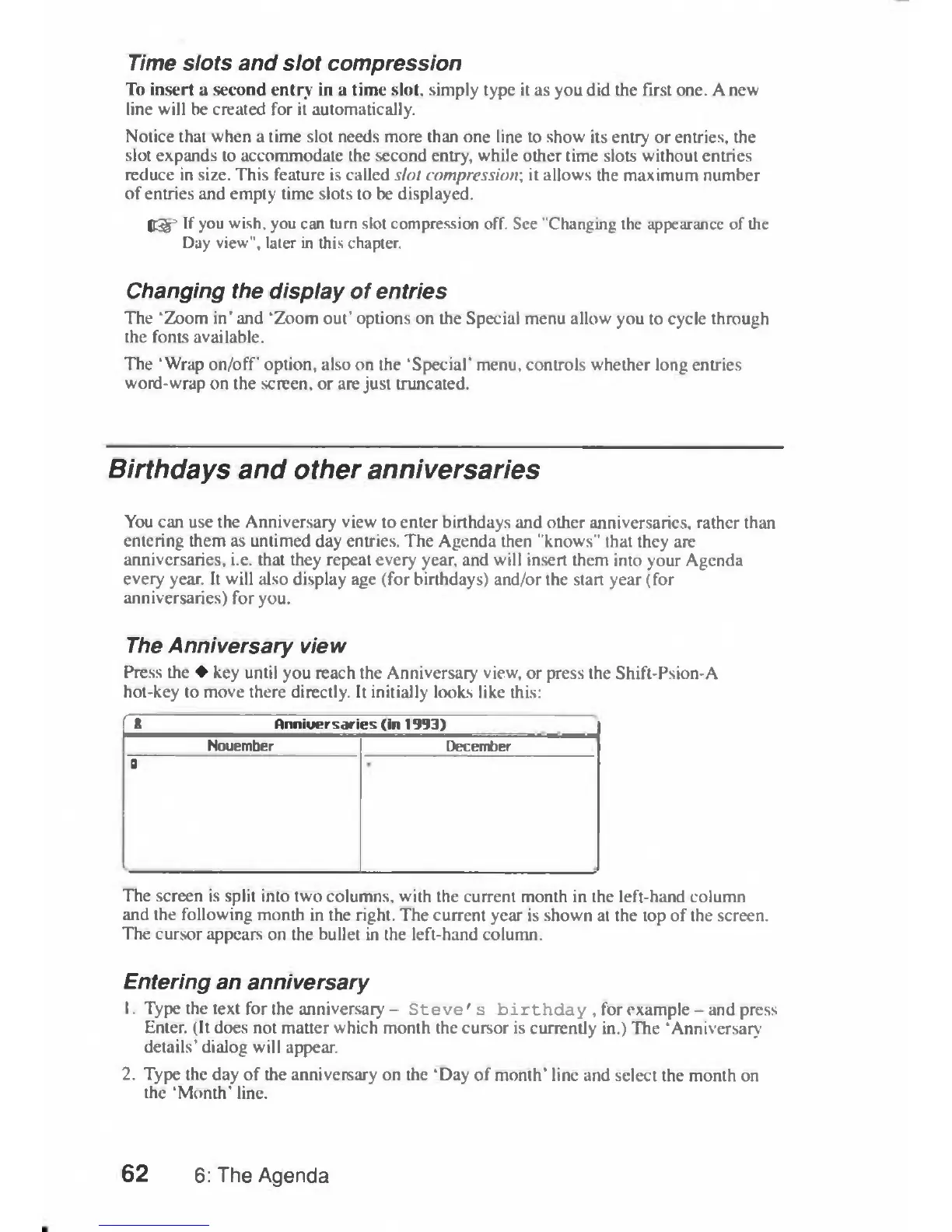
It
initially
looks
like
this:
fa
Anniuersaries
(in
1993)
Nouember
December
9
The
screen
is
split
into
two
columns,
with
the
current
month
in
the
left-hand
column
and
the
following
month
in
the
right.
The
current
year
is
shown
at
the
top
of
the
screen.
The
cursor
appears
on
the
bullet
in
the left-hand
column.
Entering
an
anniversary
1.
Type
the
text
for
the
anniversary
-
Steve's
birthday
,
for
example
—and
press
Enter.
(It
does
not
matter
which
month
the
cursor
is
currently
in.)
The
'Anniversary
details'
dialog
will
appear.
2.
Type
the
day
of
the
anniversary
on
the
'Day
of
month'
line
and
select
the
month
on
the
'Month'
line.
62
6:
The
Agenda

Table of Contents

Related product manuals