150M Wireless N ADSL2+ Router
- 110 -
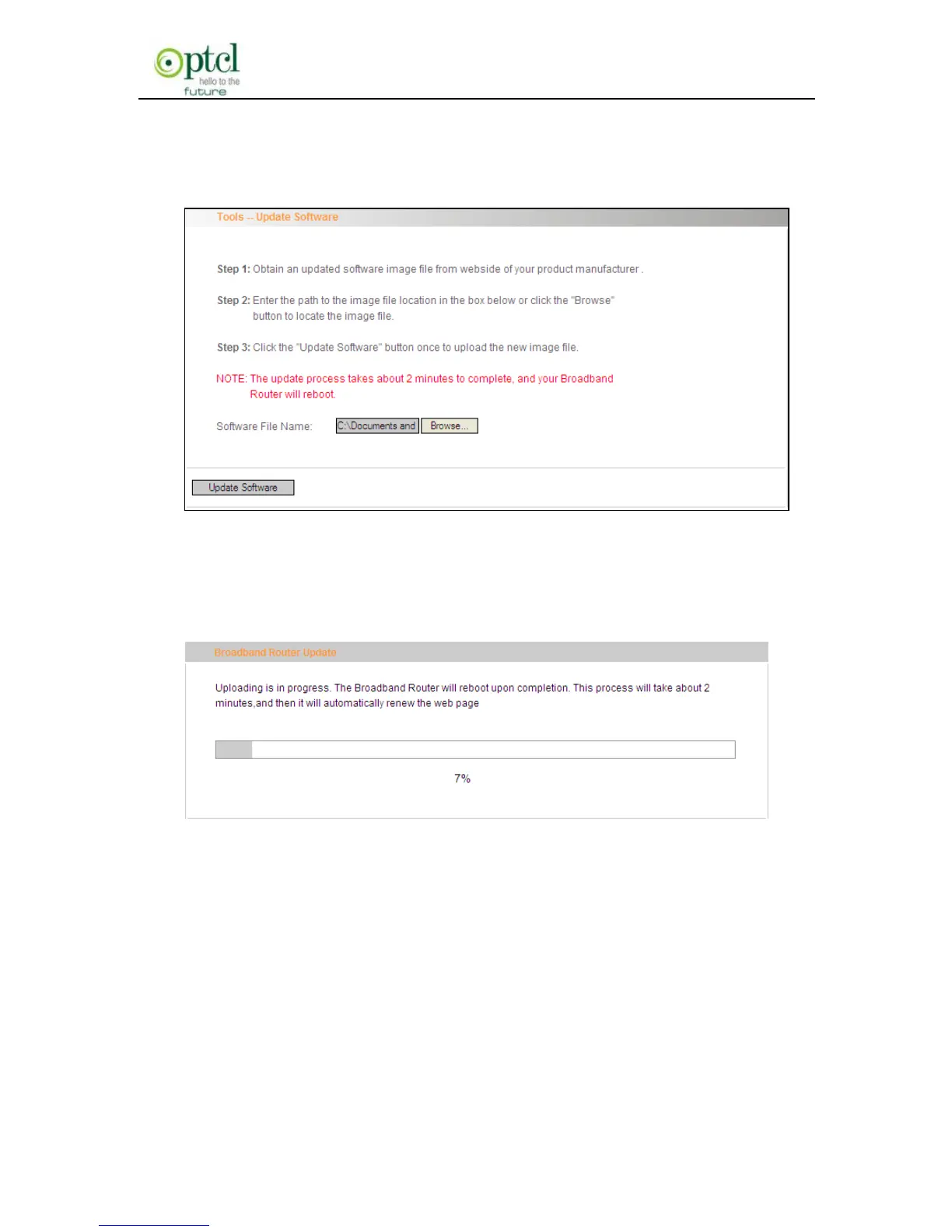
2. Click the ―Browse‖ button to select the upgrade file and then
click ―Update Software‖.
3. After clicking the “Update Software”, it comes to the
upgrade screen. The progress takes about 2 minutes.
4.5.7 Reboot
To reboot the router, click ―Management‖----―Reboot‖ to enter the page
below, and then click the ―Reboot‖ button there.



 To Next Page