150M Wireless N ADSL2+ Router
- 11 -
Chapter 3 Fast configuration
Since we are using computer to access Internet, we need to first
configure the computer and then log on to router’s management
interface (WEB UI) to configure the router through the configured
computer.
3.1 Configuring the computer
The procedures of the example below (taken under Windows 7)
instructs you in configuring your PC.
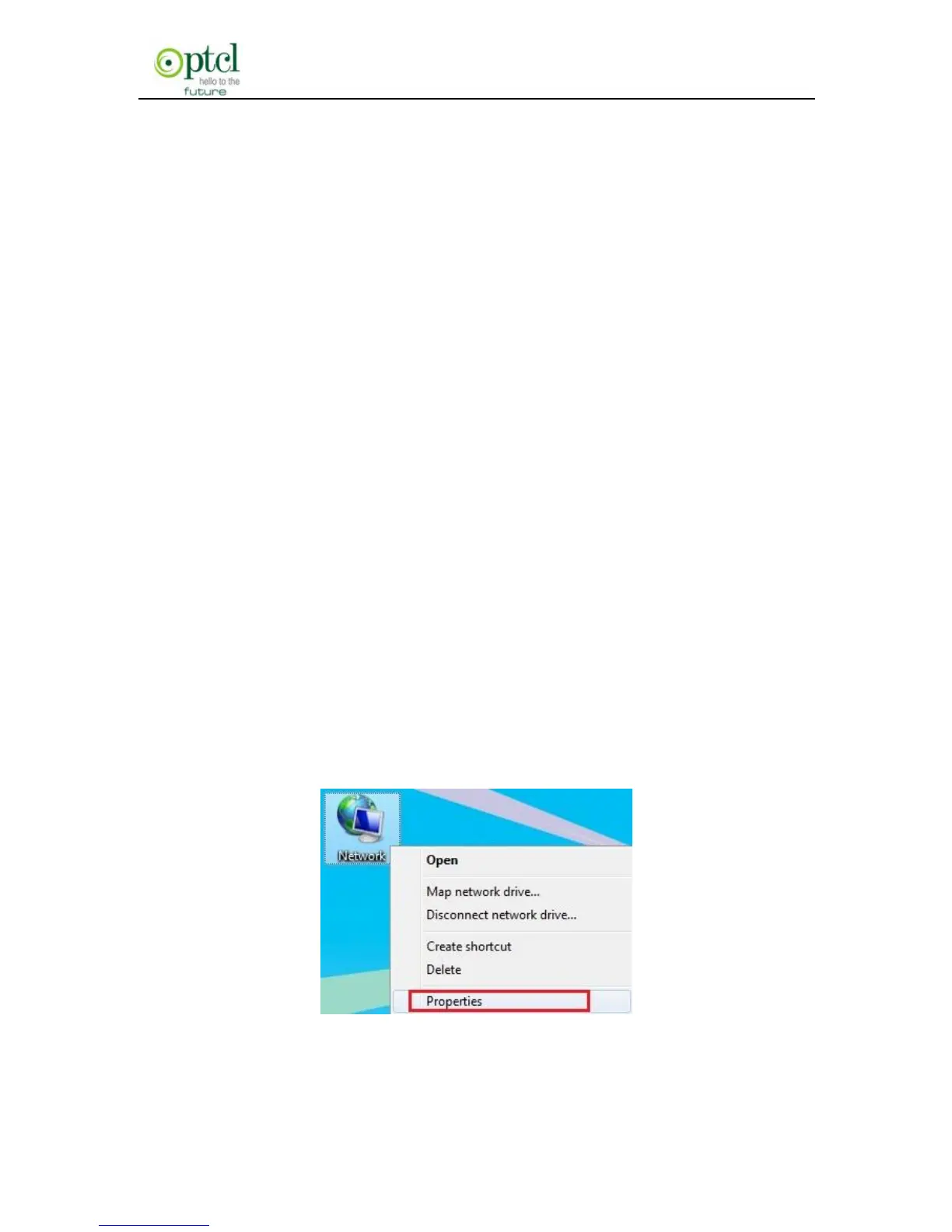
1. Click the ―Network‖ icon on your computer’s desktop, select
―Properties‖ in the appearing menu and then click‖ Open Network
and Sharing Center‖.



 To Next Page