150M Wireless N ADSL2+ Router
- 33 -
4.2.2 WAN service
1. WAN Configuration in DSL Mode
PPP over Ethernet (PPPoE)
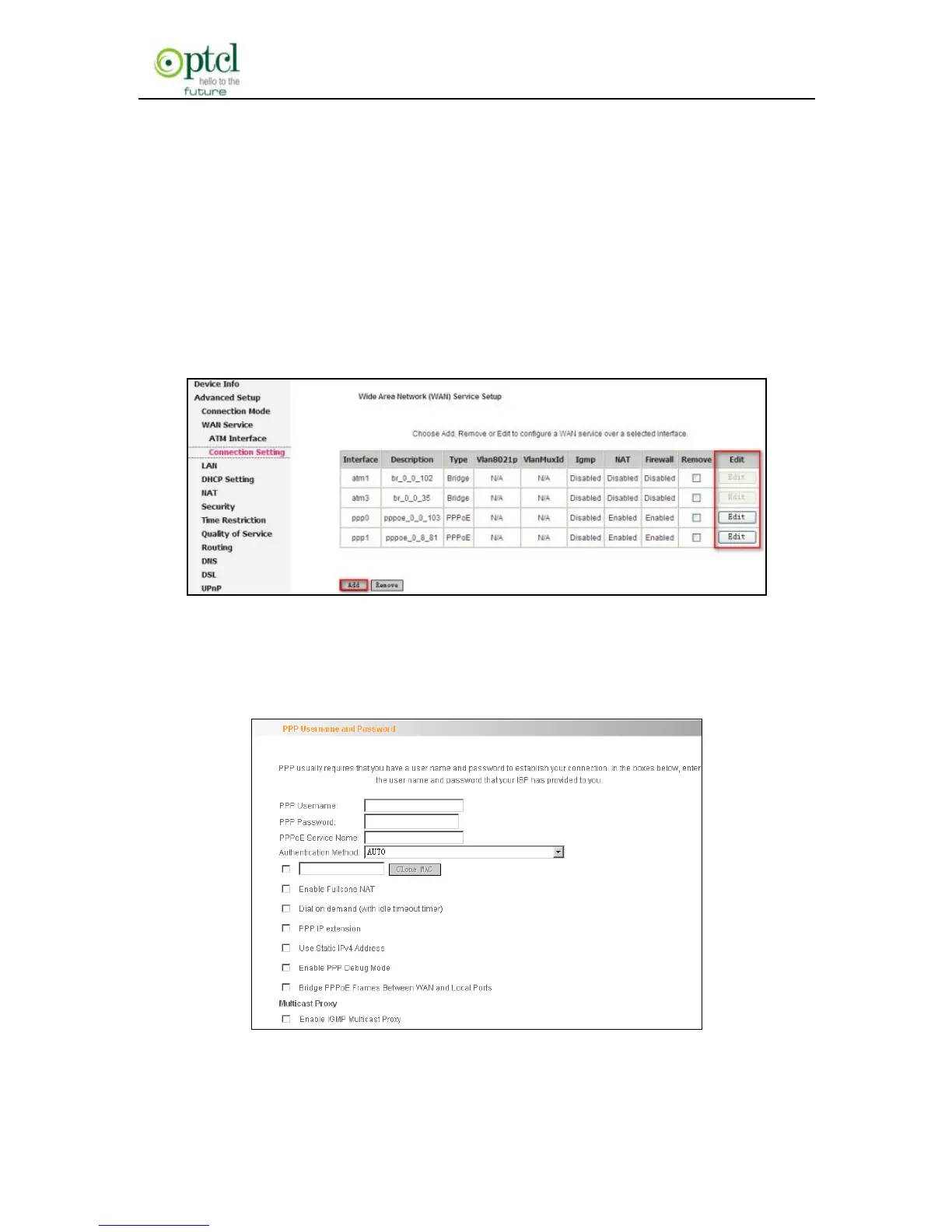
Click ―Advanced Setup‖—―Connection mode‖ (Select DSL mode and
click ―Apply‖) ---―WAN Service‖---―ATM Interface‖ (refer to 4.3 for
configuring the ATM interface) ---―Connection Setting‖ to enter WAN
service setup interface (page1).
Page 1
You can click the ―Edit‖ button to revise the PPPOE settings on page 2
or click the ―Add‖ button to select a WAN service type on page 3 below.
Page 2



 To Next Page