150M Wireless N ADSL2+ Router
- 113 -
Appendix 1
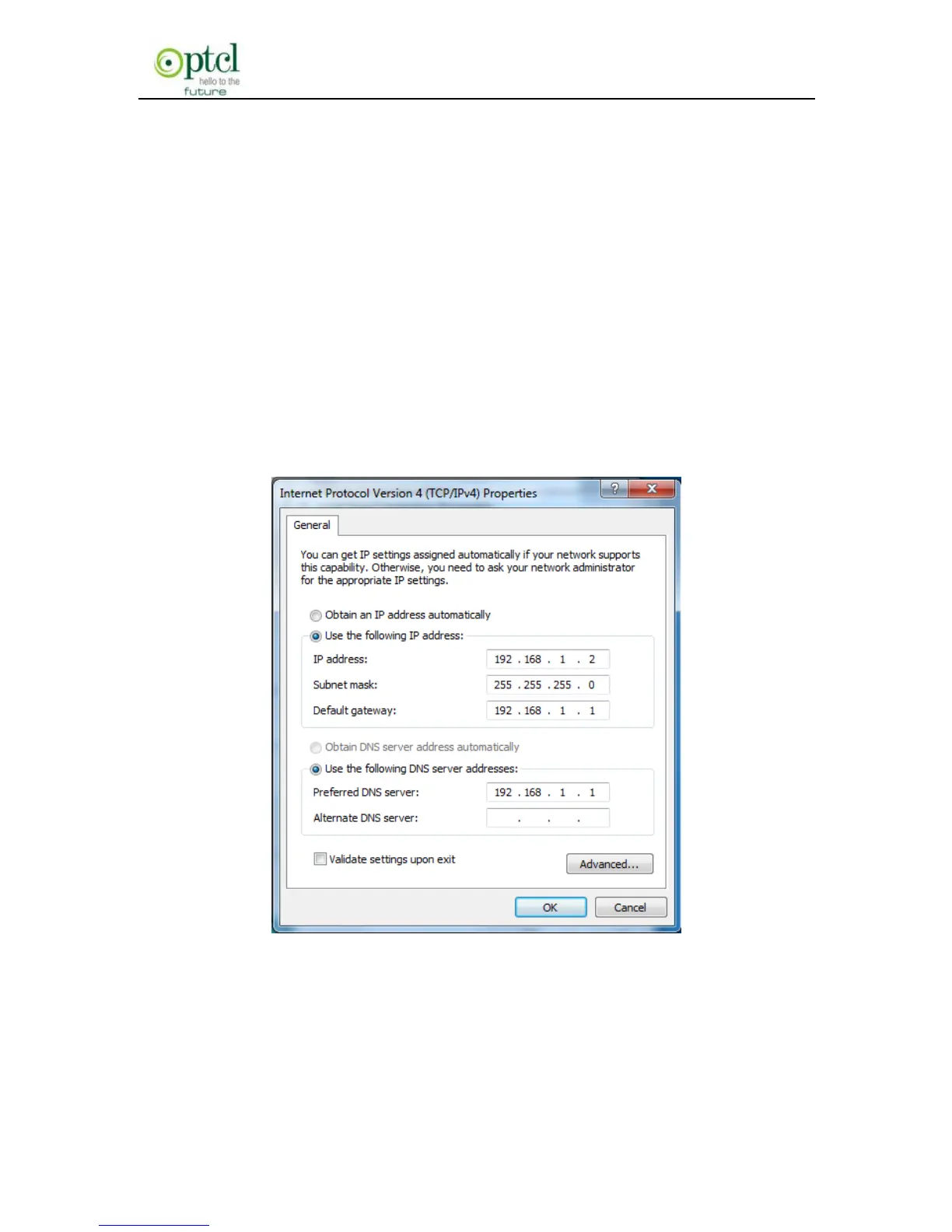
1. Setting the IP of your PC manually
Choose ―Use the following IP address‖, and enter the IP address:
192.168.1.xxx. (xxx ranges 2~254), Subnet mask : 255.255.255.0,
Gateway: 192.168.1.1, DNS Server: You can enter your local DNS
server address (consult your local ISP) or set the Router as DNS proxy
server.
Click ―OK‖ to finish settings. Then click ―OK‖ on ―Properties‖ of ―local
area connection‖ to save settings.



 To Next Page