150M Wireless N ADSL2+ Router
- 32 -
On this page, you can configure VPI and VCI values (consult your local
ISP if you are not clear). For other options, keep the defaults and click
the ―Apply/Save‖ button.
2. In Ethernet modes, you are required to configure parameters for
Ethernet interface.
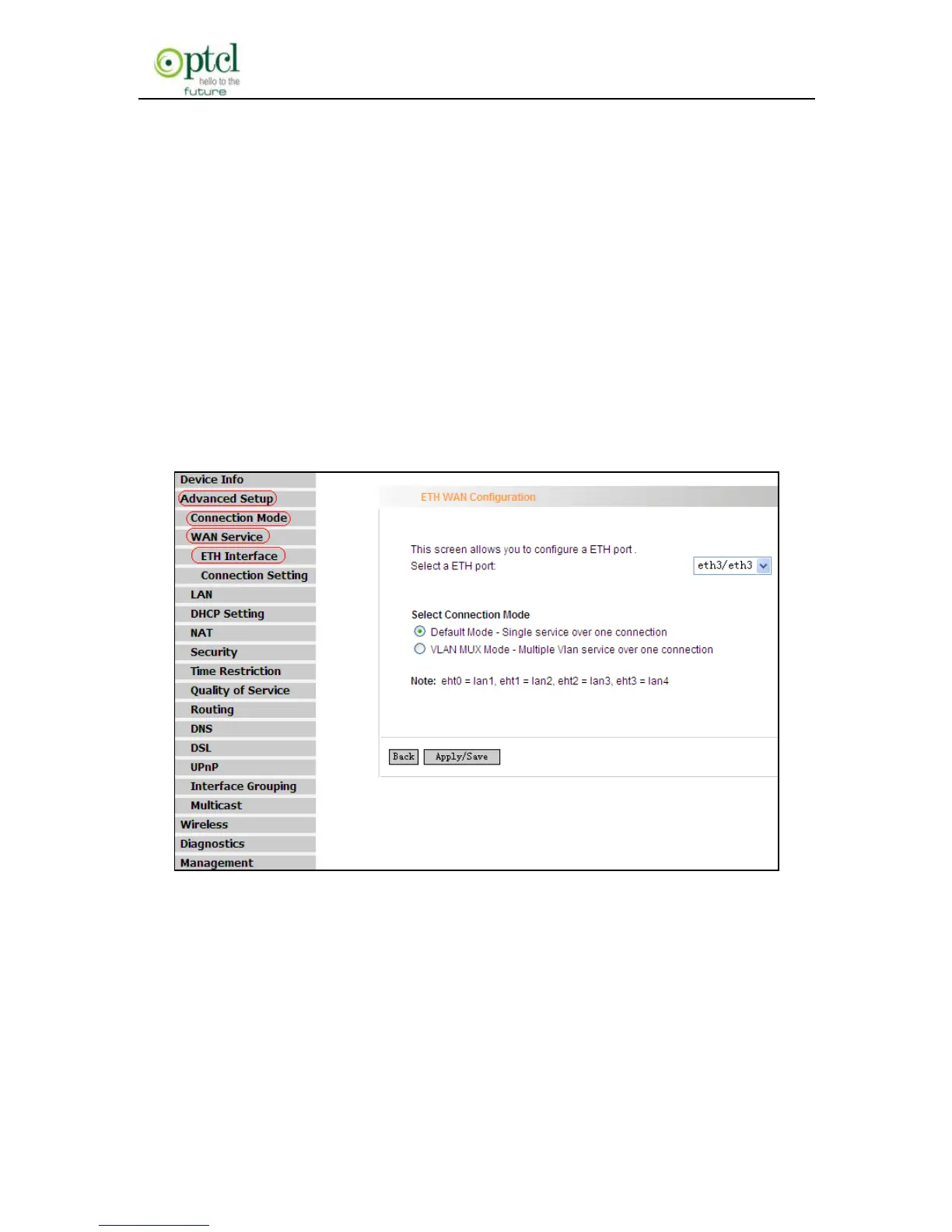
To enter the ETH Interface page, click ―Advanced Setup‖---―Connection
Mode‖ (Select Ethernet mode and click ―Apply‖)--- ―WAN
Service‖---―ETH Interface‖. And then click the ―Add‖ button to configure
relevant parameters.
The Ethernet interface configured on this page is used as a WAN port.
You can select Only one LAN interface to function as a WAN port. Once
you finish, click the ―Apply/Save‖ button.



 To Next Page