150M Wireless N ADSL2+ Router
- 31 -
Setup‖---―Connection Mode‖. Select a proper connection mode and
then click the ―Apply‖ button.
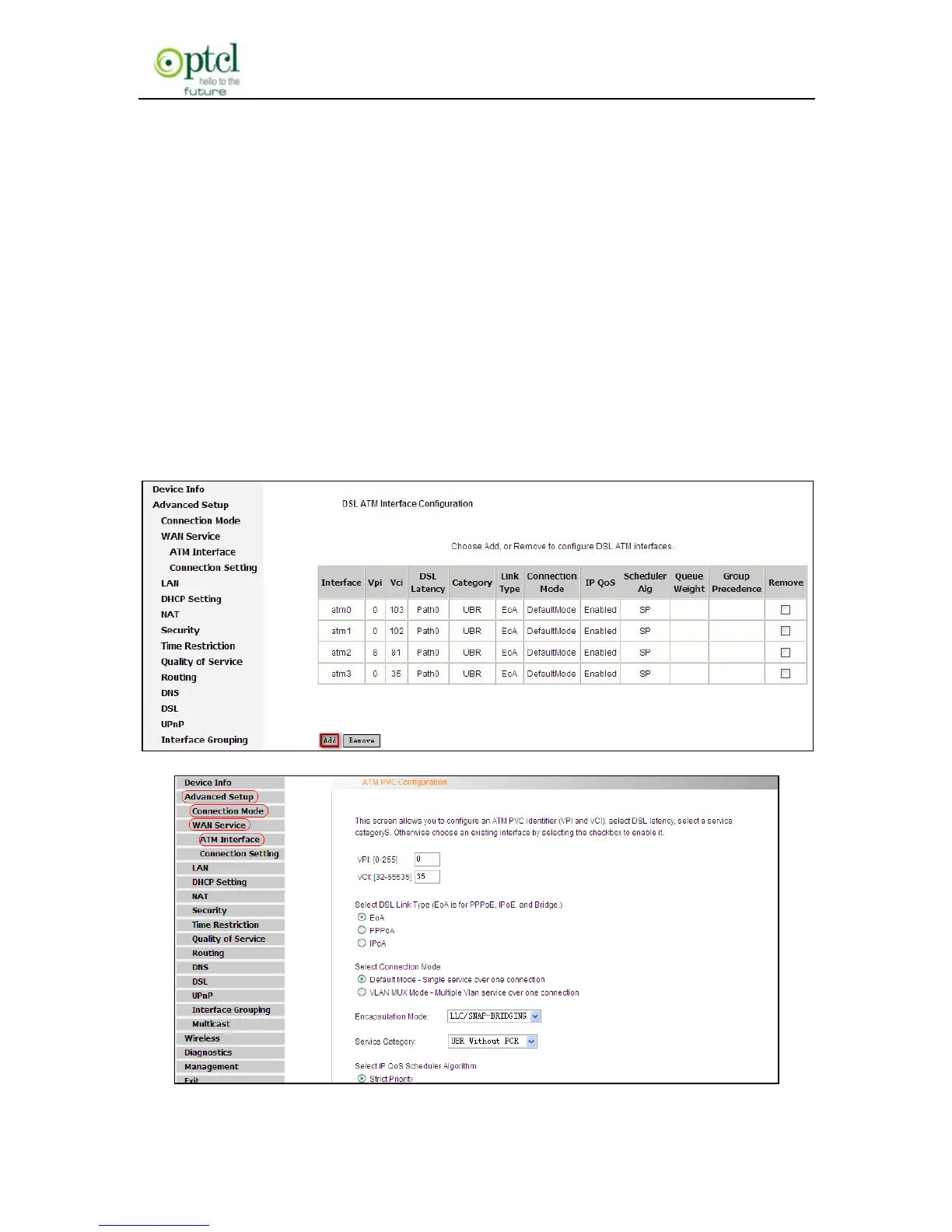
1. In DSL mode, you are required to configure parameters for ATM
interface.
To enter the ATM Interface page, click ―Advanced Setup‖---―Connection
Mode‖ (Select DSL mode and click ―Apply‖)--- ―WAN Service‖---ATM
Interface.
Out router has provided four default vpi/vci settings: 0/103, 0/102, 8/81,
0/35.If you need to use other vpi/vci, please click ―Add‖ to configure the
relevant parameters.



 To Next Page