150M Wireless N ADSL2+ Router
- 21 -
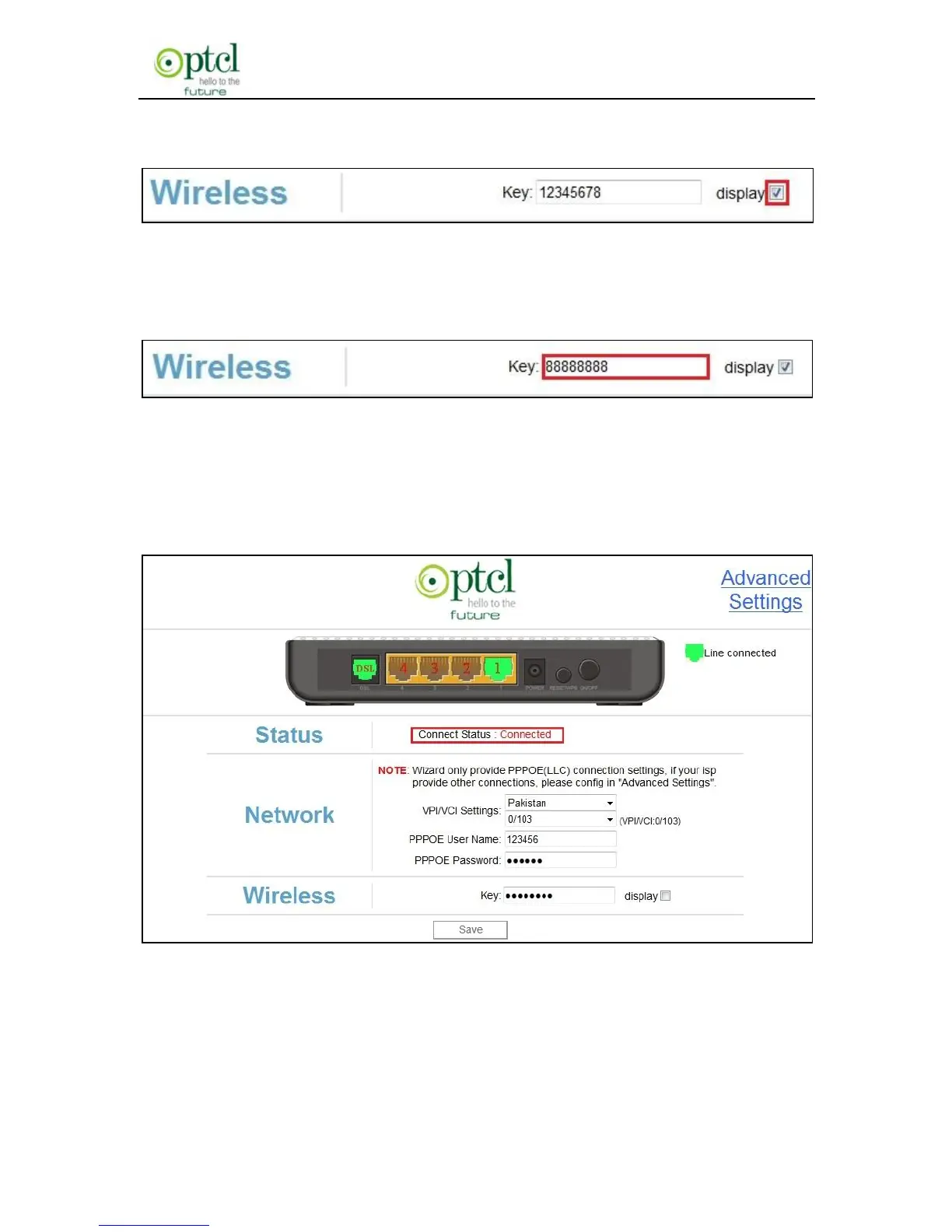
is 12345678, you can check the button to show its character value.
For example: if you want to set the password as 88888888, follow the
configurations as shown in the figure below:
And then click ―OK‖ to save the settings. Congratulations! You can
access Internet now when the following screen appears as below (the
Status displays ―Connected‖.)
Launch a web browser, enter www.msn.com in the address field and
Internet access will be successful.



 To Next Page