150M Wireless N ADSL2+ Router
- 71 -
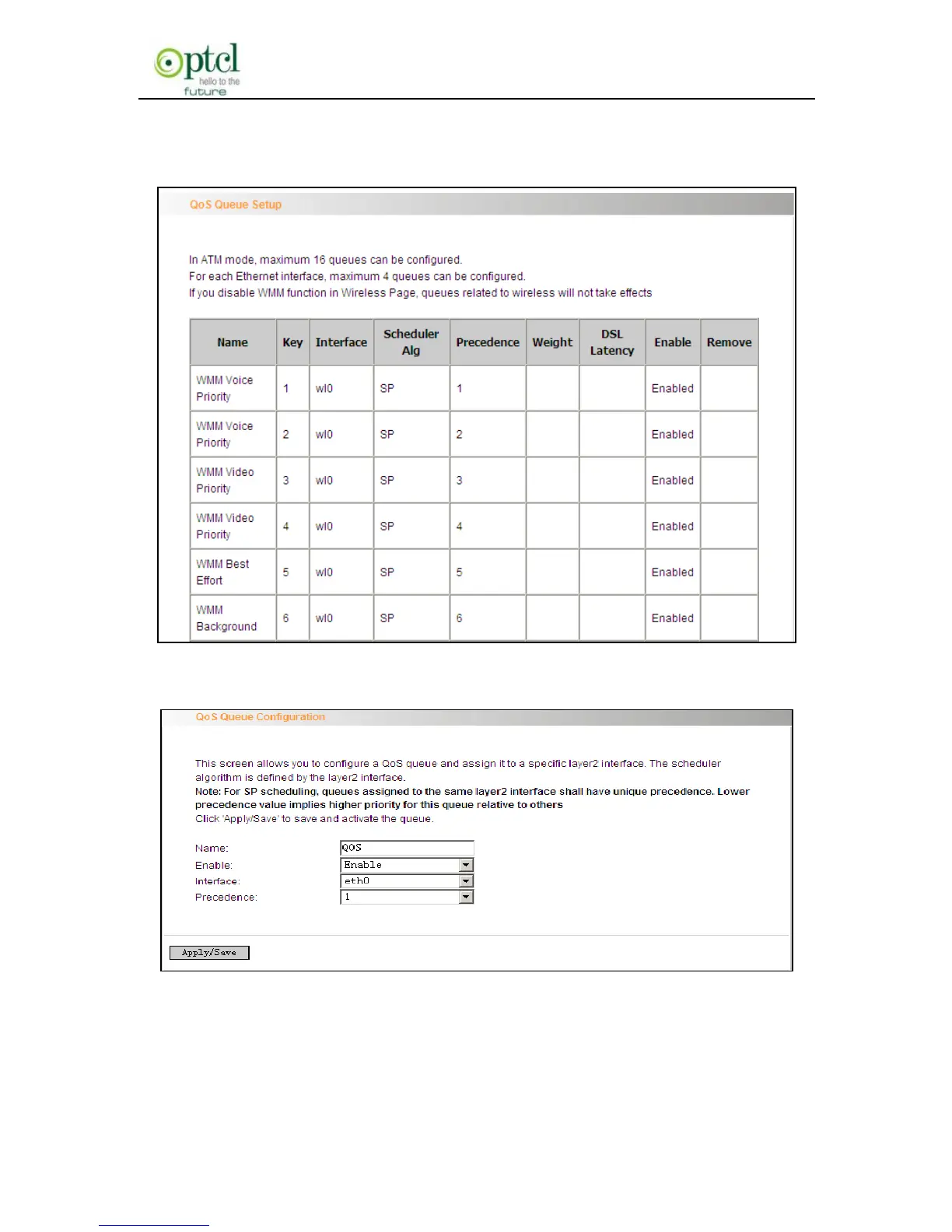
Click ―Advanced Setup‖-> ―Quality of Service‖-> ―Queue config‖ to
display the configured QoS rule.
Click ―Add‖ to enter the following screen to add rules.
Name: The name of the configured rule.
Enable: Enable/Disable the rule.



 To Next Page