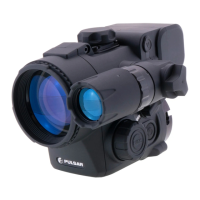
ENGLISH
5
24
1
17
18
20
21
22
2
14
16 19
9 10
6
23 13
8
7
15
12
11
25
4
3
Open
Optical
device
observation
lens
Insert*
Tightening
screw
Screw
Adapter
lever
Eyepiece
cover
M (MENU)
button
LEFT
button
Adapter*Adapter cover*
ON
button
Lens focus knob
Weaver
rail
IR illuminator
connector plug
Lens
cover
RIGHT
button
Attach-
ment
point
IR illuminator
installation
connector
IR illuminator
lever
MicroUSB
port
IR illuminator
cover
button
Battery locking lever
Monocular
Pulsar 5x30
Battery compartment cover
Rechargeable battery
*Items of Cover Ring Adapter FN (available separately)
Operation of buttons
Button Operating Mode First short
press
Subsequent
short presses
Long press
ON
(9)
Device is off
Power on
device
- Power on device
Device is on -
Turn off display /
turn off device /
LEFT
(8)
Device is powered
on
Turn on
SumLight™
Turn off
SumLight™
Wi-Fi on / off
Navigation
through menu
Down / Left
MENU
(7)
Device is powered
on
Open quick menu Open main menu
Navigation
through menu
Conrm selection
Exit submenu without
conrming selection /
exit menu (go to viewing
mode)
RIGHT
(6)
Device is powered
on (Video mode)
Start /pause/resume video
recording
Turn off video recording /
switch to Photo mode
Device is powered
on (Photo mode)
Take a photograph Switch to Video mode
Navigation
through menu
Up / Right
2


 To Next Page