11
Discover EVOKE Flow EVOKE Flow Owner’s Manual v1.0
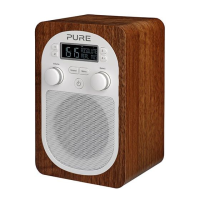
1.4 Overview of controls and sensors
1 Context-sensitive touch keys. The
function is displayed on screen above the
relevant key and changes depending on
the current screen.
2 Back key (
). Tap to display the Source
screen then choose between DAB radio,
The Lounge, Media player, FM radio
and Auxiliary input. Tap when browsing
stations to go back up to the previous list.
Tap in the Options menu to go back up to
the previous screen.
3 Volume/mute dial. Rotate right and left to
increase and decrease the volume. Push
to mute the audio and push again to un-
mute.
4 Select dial. Rotate to browse the current
list of items and press to select. Browse
options and press to select. Push
to pause a media track, podcast or
programme
5 Standby touch key (
). Tap followed
by O Ok to switch the radio on; do this
again to switch the radio into standby (or
off if powered by a ChargePAK E1).
6 SnoozeHandle™ (does not work when
the radio is battery powered). Tap to
snooze the alarm for 9 minutes. Grip and
hold to brighten the display to maximum
brightness for 3 seconds.
7 Light sensor. Adjusts the display
brightness according to the light levels
in your room (only works when the
Brightness level is set to ‘Automatic’).
Make sure the sensor is not covered or
blocked.



 To Next Page