35
Listening to FM radio EVOKE Flow Owner’s Manual v1.0
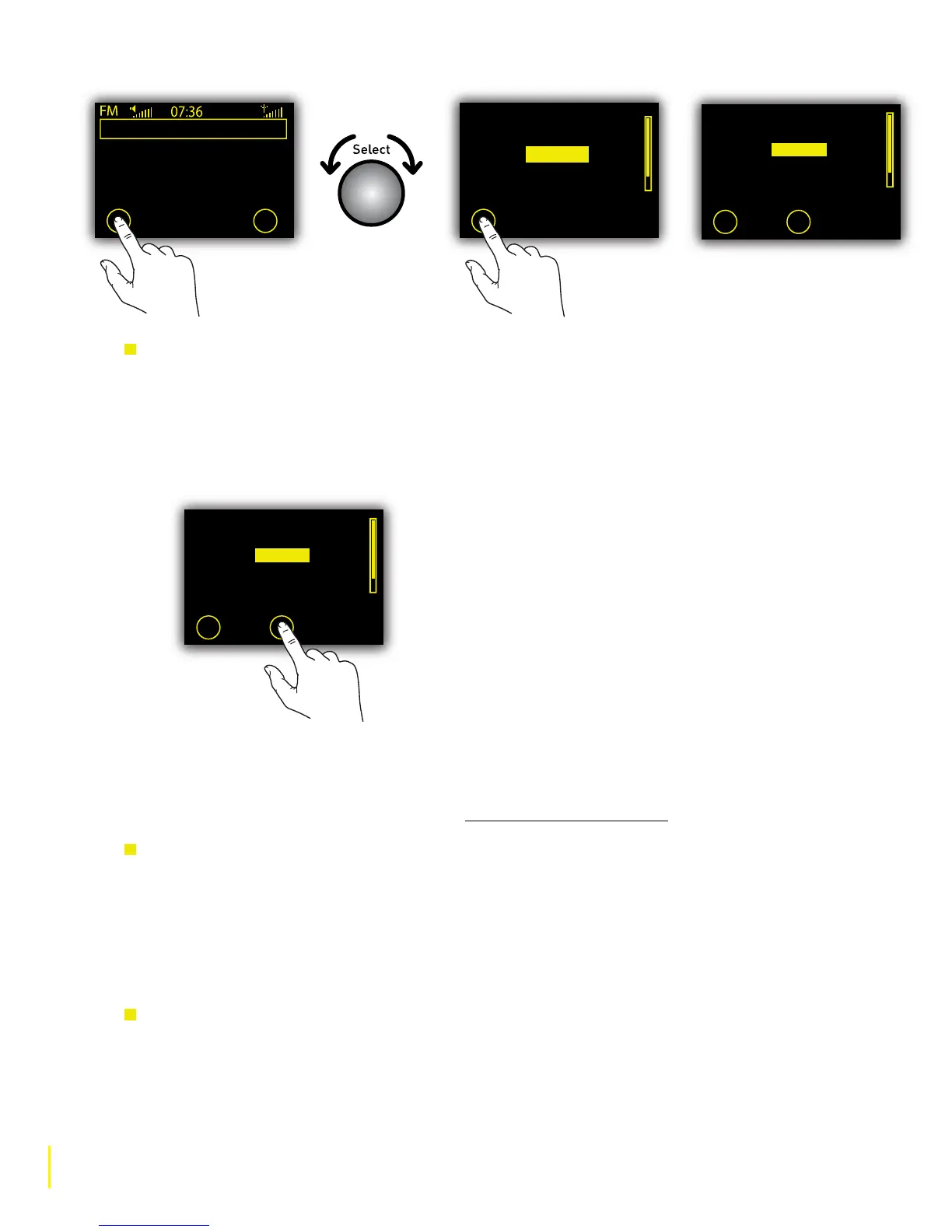
To select an FM preset
1 When listening to an FM station, tap O Presets.
2 Rotate the Select dial to scroll through the list of preset stations. Presets are labelled with the
station name if a station has been stored or ‘Empty...’ if nothing has yet been stored.
3 Tap O Listen to select the Preset.
5.4 Options available in FM source
When you are listening to FM, tap O Options and highlight and select ‘FM settings’ to access the
following options. For all other options, go to Chapter 7 Universal options.
FM Tuning
Switch between seek and manual tuning.
Seek tune When you rotate the Select dial EVOKE Flow tunes to the next station that has
a str
ong signal.
Manual tune When you rotate the Select dial EVOKE Flow tunes up or down in increments
of 0.5MHZ.
FM Stereo
Switch between broadcasting FM stations in ‘Mono’ (default) or ‘Stereo’. If listening on
headphones, or with an S-1 Flow auxiliary speaker, you may want to change this setting to Stereo.
Empty 9
Empty 10
Chiltern
Empty 2
Empty 3
Store Listen
Chiltern
Today’s Best Mix for Herts,
Beds and Bucks -
97.6 Chiltern FM
Presets Options
Empty 9
Empty 10
Empty 1
Empty 2
Empty 3
Store
Empty 9
Empty 10
Chiltern
Empty 2
Empty 3
Store Listen



 To Next Page