40
Universal options EVOKE Flow Owner’s Manual v1.0
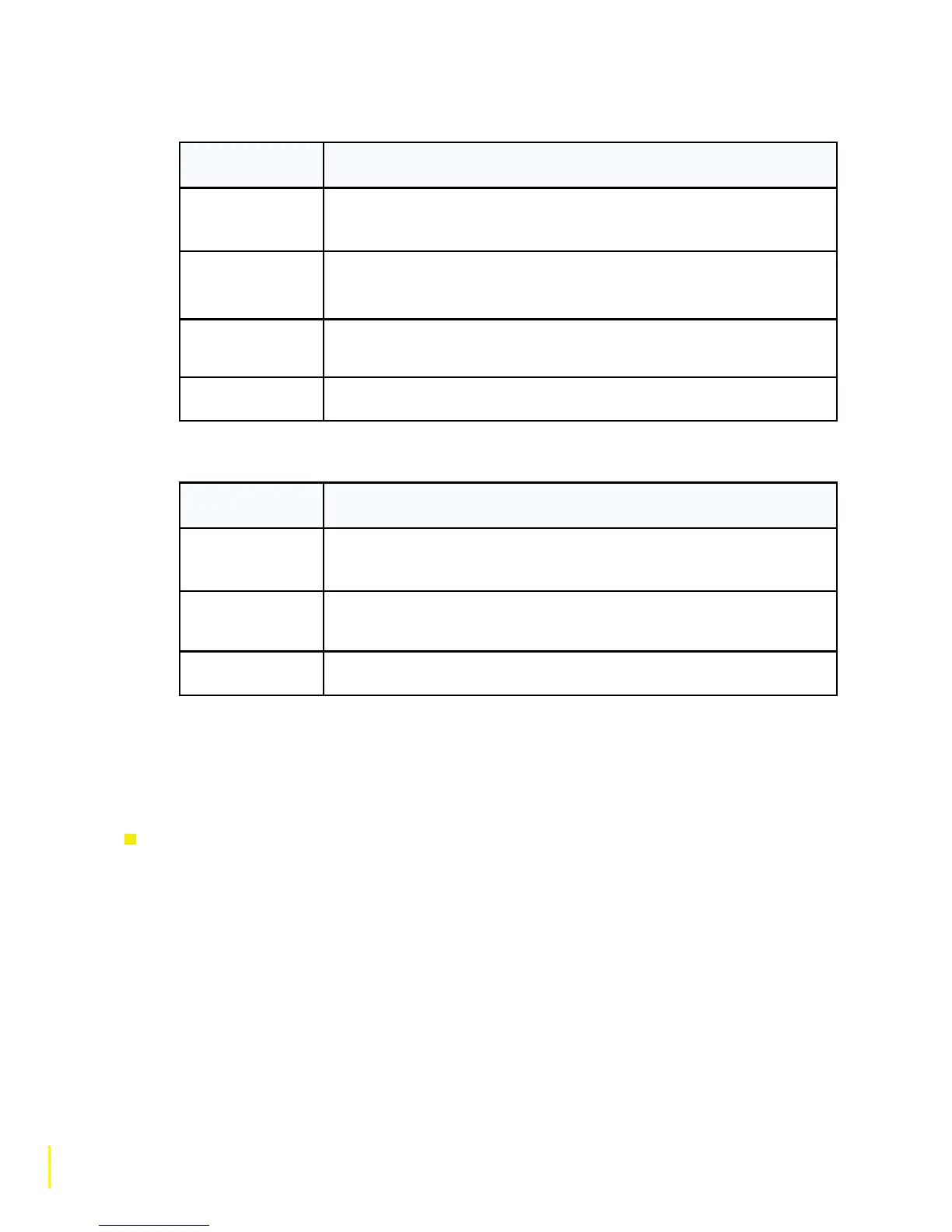
Media Player Info display options
Information
Display Options
Description
Track info
Scrolls the Artist name, Album title and Track number vertically
down the display.
Time offset and
duration
Displays the track time elapsed and the total track time.
Wi-Fi signal
strength
Displays a meter representing the strength of your Wi-Fi signal.
Time and date Displays the time and date.
FM Info display options
Information
Display Options
Description
Scrolling text Displays text information from the current station if RDS
information is available.
Reception info Displays the current frequency, Stereo/Mono indication, station
description and a meter representing signal strength.
Time and date Displays the time and date.
7.4 Adjusting the screen brightness and duration
You can adjust the brightness level of the screen and how long the screen lights up for when a button
is pressed (when switched on and when in standby).
To adjust how long the screen lights up for
1 Tap O Options and highlight and select ‘Display’.
2 Highlight ‘Active operation’ to adjust the display settings that apply when the radio is switched
on or ‘Standby operation’ to adjust the display settings that apply in standby.
3 Highlight and select ‘Screen duration’.
4 Choose between the following screen duration options:
‘Always on’ (default) The display is always active (and is set to your chosen brightness level.
‘Off after 7 seconds’ The display switches off after 7 seconds of inactivity and lights up again
when you tap a touch key or the SnoozeHandle or push a dial.



 To Next Page