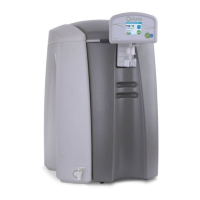
OPER
ATING MANUAL FOR SELECT ANALYST
Issue: A, part number R041118
21
6 MAINTENANCE
6.1 Replacing media packs
Switch the unit off by pressing the STOP button.
Leave the unit to stand for 30 seconds to relieve any internal pressure.
Remove the front door cover by pulling it gently from the unit using the
hand holds provided to expose the two media cartridge packs.
Press down the lever over the corresponding cartridge to be removed and
pull it away from its retainer.
Discard the exhausted media pack. Remove the new pack from its bag
removing the two black plugs from the inlet/outlet ports.
Insert the media pack into the unit locating it securely into its retaining
block, push it home until it clicks into position and the retaining lever clicks
up.
Press “START” and follow the instructions on screen for setting new pack
replacement date (see previous section)
After resetting the pack date the unit can be started from the power on
screen.
6.2 Cleaning inlet screen filter.
It is recommended that this filter is cleaned at least once per year.
The inlet screen filter is located in the right hand side of the unit.
Switch of the water supply at source
To relieve any residual water pressure, momentarily switch the unit on
then off.
Remove the side panel of the unit.
o To do so first remove the front cover by pulling it gently from the
unit using the hand holds provided.
o Pull the pod assembly gently forward to disengage the top cover
retaining pin.
o Remove the top cover by lifting up the front and sliding gently
backwards.
o Remove the four retaining screws holding the side panel in place
and slide gently backwards.


 To Next Page