15
TIME OF DAY SETTING
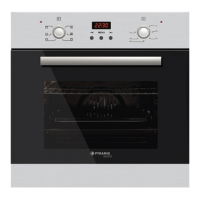
After plugging in or reconnecting to a power source after current decay, “0.00”, and “AUTO”
ashes.
• Press button 1 approximately 2 sec., dot icon starts ashing. Set the current time
using buttons 2 and 3. About 7 seconds after the set time has been nished, new
data is memorized.
The time correction can be done later;
• Press button 2 and 3 approximately 2 sec., dot icon starts ashing. Then you can set
the current time.
Notice! If the correct time is not set then proper opera tion of the oven is not possible.
MANUAL COOKING
Without any cooking program, it is a cooking done by heat values setting and user-dened
function.
SETTING THE MINUTE MINDER
You can activate the minute minder at any time, regard less the activity state of other
programmer functions. The measured time ranges from 1 minute to 23 hours 59 minutes.
• Press button 1 until the minute minder icon starts to ash, and the display shows
“0.00”.
• Enter the required time using buttons 3 and 2. Minute minder icon remains on the display.
After the set time has elapsed, an audible signal will be heard for approximately 7
minutes and the minute minder icon starts to ash again.
• Press buttons 1, 2 or 3 to turn the signal off; the minute minder icon disappears, and
the display indicates the current time.
CHANGE THE TIMER BEEPS
The tone of the timer beeps may be changed as follows:
Press buttons 2 and 3 simultaneously,
• Press button 1 to see actual tone “ton.1” to see on the display.
• Press button 2 to select the tone you wish from 1 to 3.
CANCEL SETTINGS
Cancel automatic function settings:
• Press buttons 2 and 3 simultaneously.
Cancel minute minder settings:
• Press button 1 to select minute minder settings,
• Press buttons 2 and 3.
COOKING TIMER
If the oven is supposed to turn off at specied time, cooking timer can be set. It is named
as semi-automatic operation.



 To Next Page