EasyManua.ls Logo

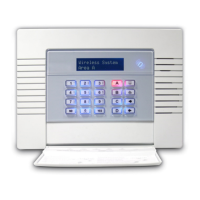
Pyronix Enforcer 32-WE - User Manual

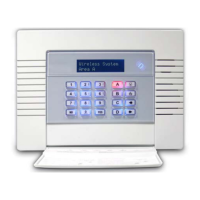
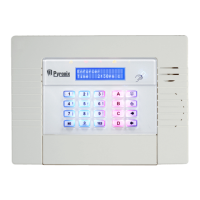
Pyronix Enforcer 32-WE
36 pages
Print Icon
To Next Page IconTo Next Page
Loading...
Software Revision >V10
RINS1705-1
User Manual
INTERNAL SIREN WARNING
The Enforcer 32-WE control panel
contains a 100dBA siren, please be
aware of this when in use

Other manuals for Pyronix Enforcer 32-WE

Questions and Answers

  • R
    Robin WatsonSep 12, 2025
    Why does Pyronix Enforcer 32-WE show Alarm during the arming procedure?
    • K
      Kayla HarrisSep 12, 2025
      If your Pyronix Security System displays 'Alarm during the arming procedure', it indicates that instant inputs have been activated. During the arming procedure do not activate ‘instant inputs’.
  • D
    Dean FoxSep 10, 2025
    What does WLs Supervn Fault mean on Pyronix Security System?
    • K
      kelly93Sep 12, 2025
      If your Pyronix Security System displays 'WLs Supervn Fault', it means that no ‘supervision polls’ were received for 20 minutes before the arming operation. Test the signal strength and battery on each of the wireless devices.
  • K
    kristina42Sep 9, 2025
    How to fix Engineer Access Denied on Pyronix Enforcer 32-WE?
    • J
      Juan CalderonSep 9, 2025
      If your Pyronix Security System displays 'Engineer Access Denied', it means that access to the Engineer menu is not possible because the system is not fully disarmed. Ensure that ALL areas are disarmed, using suitable user codes or tags at the appropriate keypads or readers.
  • A
    alexgarzaSep 8, 2025
    Why does Pyronix Security System show Alarm during the arming?
    • E
      Elizabeth ColemanSep 8, 2025
      If your Pyronix Security System displays 'Alarm during the arming', it means the fail to arm time has been exceeded. To resolve this, leave the premises within the fail to arm time, increase the fail to arm time in ‘timers’, or disable this feature in system options.
  • B
    bmurphyAug 23, 2025
    Why does my Pyronix Enforcer 32-WE say MAINS FAIL?
    • R
      Rachel CraneAug 23, 2025
      If the Pyronix Security System displays 'MAINS FAIL xxx', it indicates that the system has detected a failure in the mains supply. This means that the mains frequency is out of specification, as well as voltage. Note that the ‘AC FAIL’ timer is operative.
  • V
    vcarrSep 6, 2025
    How to fix I-01 (xx) WLs SUPERVN on Pyronix Security System?
    • M
      Matthew RomeroSep 6, 2025
      If your Pyronix Security System displays 'I-01 (xx) WLs SUPERVN', it means that the device on wireless input number ‘xx’ has not ‘checked in’. To resolve this, perform a walk test on the detector, a diagnostic signal strength test, and consider replacing the battery.
  • T
    Terrance DavisSep 4, 2025
    What does BAT LOAD FAIL mean on Pyronix Enforcer 32-WE?
    • W
      Wesley MoralesSep 5, 2025
      If your Pyronix Security System displays 'BAT LOAD FAIL', it means the Battery Load Test has failed. This only displays if the option is selected. The battery may be uncharged or its capacity is below specification, which means it may need replacing.
  • M
    Marcus WrightSep 3, 2025
    What does WLs JAMMING Pnl mean on Pyronix Enforcer 32-WE?
    • L
      Lacey JacksonSep 3, 2025
      If your Pyronix Security System displays 'WLs JAMMING Pnl', it indicates that there might be radio interference close to the radio devices or the panel. Check for any such interference in the vicinity.
  • D
    donaldfloydSep 2, 2025
    Why does my Pyronix Security System say 485/COMMS LOST?
    • T
      Thomas WilsonSep 3, 2025
      If your Pyronix Security System displays '485/COMMS LOST' on a keypad, it means the keypad has not yet established communication with the control panel (End Station). This is part of the routine initialization procedure. If this persists, check the display at other keypads to determine if the failure is at the keypad or a complete system BUS failure. You can also temporarily install an additional keypad to troubleshoot.
  • J
    Jennifer SmithSep 1, 2025
    What does BAT CRITICAL mean on Pyronix Enforcer 32-WE?
    • V
      Vincent WheelerSep 1, 2025
      If your Pyronix Security System shows 'BAT CRITICAL', it means the battery is being disconnected. This protects the battery from deep discharge damage during extended mains failure. Note: The system is about to be powered down!

Summary

A. Introduction to Enforcer System

System Overview and Key Features

Covers two-way wireless, high security, battery management, user-friendly keyfobs, automation, and SMS control.

B. Pyronix Cloud and Home Control+ App

C. Operating the Enforcer 32-WE

Arming and Disarming Methods

Outlines the four primary methods for arming/disarming the system: keypad, tag, keyfob, and app.

Keypad Button Operations

Explains the function of each button on the keypad for menu navigation and system control.

Enforcer Menu Navigation Guide

Provides instructions on how to navigate through the system's menus using keypad buttons.

D. Using the Keyfob

Keyfob Locking and Unlocking

Describes how to lock/unlock keyfob buttons to prevent accidental activation and disable indications.

Programmable Keyfob Buttons

Details how keyfob buttons can be programmed for specific functions like arming, disarming, or output control.

Keyfob Quick Arming Function

Explains how to quickly arm the system using a pre-programmed keyfob button.

E. Arming the Enforcer System

F. Disarming the Enforcer System

G. Tag Reader Operations

Arming and Disarming with Tag Reader

Explains how to use a tag reader to arm and disarm the alarm system.

H. Entry Control with Tag Reader

External Tag Reader Operation

Provides step-by-step instructions for using the tag reader to arm, disarm, or unlock doors.

I. SMS Command Functions Overview

Remote Arming via SMS Command

Lists SMS commands for remotely arming the system in specified or all areas.

Remote Disarming via SMS Command

Lists SMS commands for remotely disarming the system in specified or all areas.

SMS Arming with Input Bypasses

Shows SMS commands to arm the system while bypassing specific inputs or named inputs.

SMS Input Bypassing Procedure

Explains SMS commands to bypass specific inputs for future arming procedures.

J. Advanced SMS Command Functions

Checking System Status via SMS

Provides SMS commands to retrieve the current status of the alarm system, including area status.

Controlling Automation Outputs via SMS

Lists SMS commands to turn user automation outputs on, off, or check their status.

Changing Mobile Numbers via SMS

Details the SMS command to update the stored mobile phone numbers for notifications.

SMS Upload;Download Functionality

Explains SMS commands for initiating data connections for uploading/downloading information.

K. Pyronix Cloud Setup on Enforcer

Setting Up the Enforcer for Cloud

Guides through configuring the Enforcer panel to enable communication with the Pyronix Cloud and app.

L. Pyronix Cloud Account Setup

M. Pyronix App Setup Guide

N. Using the Pyronix App

O. Keypad Feature Activation

Chime Feature Configuration

Explains how to enable or disable the chime feature for door contacts and other inputs.

Keypad Personal Attack Alarm

Details the procedure for triggering a Personal Attack (PA) alarm using specific keypad button combinations.

Keypad Fire Alarm Activation

Describes how to activate a Fire alarm by pressing and holding specific keypad buttons.

P. Master Manager Menu Options

System Configuration and Management

Covers bypassing inputs, user outputs, date/time, user/tag/keyfob programming, log review, and app setup.

Testing and Connectivity Features

Includes walk tests, bell tests, PC connect menu, engineer menu, and blocking remote arming/UDL.

System Sounds and Mode Exit

Covers demonstrating system sounds and exiting the manager mode.

Q. Master Manager Menu: Bypass and Outputs

Bypass Inputs Menu Navigation

Navigates the menu to bypass specific inputs on the system.

User Automation Outputs Menu Navigation

Navigates the menu to control user automation outputs.

R. Master Manager Menu: Date and Time

S. Master Manager Menu: User Code Configuration

Configure User Codes

Guides through setting up user codes, types, areas, and arming options for users.

T. Master Manager Menu: Proximity Tag Configuration

Configure Proximity Tags

Details the process of programming proximity tags, including user type, area assignment, and arming choices.

U. Master Manager Menu: Keyfob Configuration

Learn and Configure Keyfobs

Explains how to program keyfobs, assign buttons to functions, and link them to user accounts.

V. Master Manager Menu: Log Review

W. Master Manager Menu: App Setup (Standard)

X. Master Manager Menu: App Setup (High)

Y. Master Manager Menu: Phonebook and Tests

SMS Phonebook Configuration

Allows programming user mobile numbers for SMS notifications and alarms.

Walk Test Procedure

Guides through performing a walk test of all system inputs and areas.

Bell Test Procedure

Details the process for testing the system's siren and strobe.

Z. Master Manager Menu: PC and Engineer Access

PC Connect Menu Options

Provides options for connecting the panel to a PC for dialling, data transfer, and commissioning.

Engineer Menu Access Control

Controls whether the engineer menu can be accessed without specific authorization.

AA. Master Manager Menu: Arming and UDL Control

Block Remote Arming Function

Prevents remote arming attempts via the UDL software.

Block UDL Functionality

Prevents remote dialling into the panel for data upload/download.

BB. Master Manager Menu: System Sounds and Mode Exit

System Sounds Demonstration

Allows demonstration of various system sounds like chimes, alarms, and faults.

Exit Manager Mode Function

Provides the method to exit the Master Manager Mode.

CC. Engineer Contact Information

DD. Input Tables

EE. User Tables

FF. System Outputs

GG. Product Information and Disposal

HH. Notes Section

II. Compliance and Company Information

Pyronix Enforcer 32-WE Specifications

General IconGeneral
Zones32
Users50
Areas/Partitions4
Mobile AppYes (PyronixCloud)
CompatibilityPyronix wireless devices
Operating Temperature-10°C to +40°C
TypeWireless
CommunicationGPRS, Ethernet
Power Supply230V AC

Related product manuals