EasyManua.ls Logo

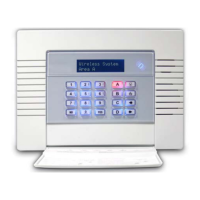
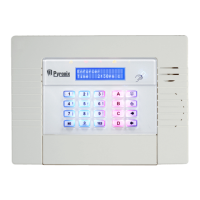
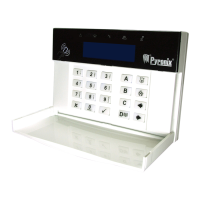
Pyronix Enforcer 32-WE - User Manual

Pyronix Enforcer 32-WE
36 pages
Print Icon
To Next Page IconTo Next Page
Loading...
Software Revision >V10
RINS1705-1
User Manual
INTERNAL SIREN WARNING
The Enforcer 32-WE control panel
contains a 100dBA siren, please be
aware of this when in use

Other manuals for Pyronix Enforcer 32-WE

Questions and Answers

  • M
    michelle85Aug 31, 2025
    How to fix DEVICE FAIL error on Pyronix Enforcer 32-WE Security System?
    • P
      parsonspatriciaAug 31, 2025
      If you're experiencing a 'DEVICE FAIL xxx xxx = ROX xxx = RIX xxx = Kpd xxx = Trd xxx = Pnl' error on your Pyronix Security System, it indicates that a wired device on the RS485 bus has been lost. To resolve this, identify the device, check that its address matches the programming, and inspect the connections and cabling. If everything appears correct, reboot the device, followed by a reboot of the End Station.
  • K
    kellyandersonAug 30, 2025
    What to do if Pyronix Enforcer 32-WE Security System is Unable To Arm?
    • R
      Richard BakerAug 30, 2025
      If your Pyronix Security System displays 'Unable To Arm', it indicates that a fault condition exists on the system. Correct the problem if it is an input which is open, or call an engineer.
  • T
    Theresa PowersAug 29, 2025
    Why is my Pyronix Enforcer 32-WE Security System keypad display BLANK?
    • P
      patriciaperryAug 29, 2025
      If your Pyronix Security System keypad display is blank, it is likely that the keypad address does not match any keypad enabled in the panel. To fix this, check the keypad address by pressing and holding [D] until the security code is required, then enter 2000 to set the keypad address. Note that the Enforcer built-in keypad address must always be set to [00]. Also, ensure that the keypad address is set up correctly in the “Install Keypads and Readers” menu in Engineer mode.
  • C
    Crystal DavidsonAug 28, 2025
    What to do if Pyronix Enforcer 32-WE Security System shows KEYS LOCKED OUT?
    • D
      Dean JacksonAug 28, 2025
      If your Pyronix Security System keypad displays 'KEYS LOCKED OUT', it could be due to two main reasons: Either multiple devices are connected using the same address, or too many incorrect key presses have triggered a 'Code Guessing' condition. To resolve this, first, ensure each device has a unique address, then power cycle the system. If it's due to excessive incorrect attempts, wait 90 seconds for the keypad to be reintroduced to the system.
  • K
    Kevin TuckerAug 27, 2025
    How to fix B-01 (xx) WLs LOW BATT on Pyronix Security System?
    • K
      knappnicholasAug 27, 2025
      If your Pyronix Security System displays 'B-01 (xx) WLs LOW BATT', replace the battery on the radio bell mentioned.
  • D
    Dr. Jeremy HernandezAug 27, 2025
    How to fix I-01 (xx) WLs LOW BATT on Pyronix Enforcer 32-WE Security System?
    • K
      Kathy SchaeferAug 27, 2025
      If your Pyronix Security System displays 'I-01 (xx) WLs LOW BATT', replace the battery on the input device mentioned.
  • A
    Alicia FitzgeraldAug 25, 2025
    How to fix U-01 (xx) WLs LOW BATT on Pyronix Enforcer 32-WE?
    • D
      daydennisAug 26, 2025
      If your Pyronix Security System displays 'U-01 (xx) WLs LOW BATT', replace the battery on the keyfob mentioned.
  • M
    maryaguirreAug 25, 2025
    What does LOW VOLTS mean on Pyronix Security System?
    • K
      Kenneth MillerAug 25, 2025
      If you see 'LOW VOLTS xxx' on your Pyronix Security System, it indicates that the power supply voltage is low. This means the battery voltage is below the normal ‘battery fault’ level during a mains failure.

Summary

A. Introduction to Enforcer System

System Overview and Key Features

Covers two-way wireless, high security, battery management, user-friendly keyfobs, automation, and SMS control.

B. Pyronix Cloud and Home Control+ App

C. Operating the Enforcer 32-WE

Arming and Disarming Methods

Outlines the four primary methods for arming/disarming the system: keypad, tag, keyfob, and app.

Keypad Button Operations

Explains the function of each button on the keypad for menu navigation and system control.

Enforcer Menu Navigation Guide

Provides instructions on how to navigate through the system's menus using keypad buttons.

D. Using the Keyfob

Keyfob Locking and Unlocking

Describes how to lock/unlock keyfob buttons to prevent accidental activation and disable indications.

Programmable Keyfob Buttons

Details how keyfob buttons can be programmed for specific functions like arming, disarming, or output control.

Keyfob Quick Arming Function

Explains how to quickly arm the system using a pre-programmed keyfob button.

E. Arming the Enforcer System

F. Disarming the Enforcer System

G. Tag Reader Operations

Arming and Disarming with Tag Reader

Explains how to use a tag reader to arm and disarm the alarm system.

H. Entry Control with Tag Reader

External Tag Reader Operation

Provides step-by-step instructions for using the tag reader to arm, disarm, or unlock doors.

I. SMS Command Functions Overview

Remote Arming via SMS Command

Lists SMS commands for remotely arming the system in specified or all areas.

Remote Disarming via SMS Command

Lists SMS commands for remotely disarming the system in specified or all areas.

SMS Arming with Input Bypasses

Shows SMS commands to arm the system while bypassing specific inputs or named inputs.

SMS Input Bypassing Procedure

Explains SMS commands to bypass specific inputs for future arming procedures.

J. Advanced SMS Command Functions

Checking System Status via SMS

Provides SMS commands to retrieve the current status of the alarm system, including area status.

Controlling Automation Outputs via SMS

Lists SMS commands to turn user automation outputs on, off, or check their status.

Changing Mobile Numbers via SMS

Details the SMS command to update the stored mobile phone numbers for notifications.

SMS Upload;Download Functionality

Explains SMS commands for initiating data connections for uploading/downloading information.

K. Pyronix Cloud Setup on Enforcer

Setting Up the Enforcer for Cloud

Guides through configuring the Enforcer panel to enable communication with the Pyronix Cloud and app.

L. Pyronix Cloud Account Setup

M. Pyronix App Setup Guide

N. Using the Pyronix App

O. Keypad Feature Activation

Chime Feature Configuration

Explains how to enable or disable the chime feature for door contacts and other inputs.

Keypad Personal Attack Alarm

Details the procedure for triggering a Personal Attack (PA) alarm using specific keypad button combinations.

Keypad Fire Alarm Activation

Describes how to activate a Fire alarm by pressing and holding specific keypad buttons.

P. Master Manager Menu Options

System Configuration and Management

Covers bypassing inputs, user outputs, date/time, user/tag/keyfob programming, log review, and app setup.

Testing and Connectivity Features

Includes walk tests, bell tests, PC connect menu, engineer menu, and blocking remote arming/UDL.

System Sounds and Mode Exit

Covers demonstrating system sounds and exiting the manager mode.

Q. Master Manager Menu: Bypass and Outputs

Bypass Inputs Menu Navigation

Navigates the menu to bypass specific inputs on the system.

User Automation Outputs Menu Navigation

Navigates the menu to control user automation outputs.

R. Master Manager Menu: Date and Time

S. Master Manager Menu: User Code Configuration

Configure User Codes

Guides through setting up user codes, types, areas, and arming options for users.

T. Master Manager Menu: Proximity Tag Configuration

Configure Proximity Tags

Details the process of programming proximity tags, including user type, area assignment, and arming choices.

U. Master Manager Menu: Keyfob Configuration

Learn and Configure Keyfobs

Explains how to program keyfobs, assign buttons to functions, and link them to user accounts.

V. Master Manager Menu: Log Review

W. Master Manager Menu: App Setup (Standard)

X. Master Manager Menu: App Setup (High)

Y. Master Manager Menu: Phonebook and Tests

SMS Phonebook Configuration

Allows programming user mobile numbers for SMS notifications and alarms.

Walk Test Procedure

Guides through performing a walk test of all system inputs and areas.

Bell Test Procedure

Details the process for testing the system's siren and strobe.

Z. Master Manager Menu: PC and Engineer Access

PC Connect Menu Options

Provides options for connecting the panel to a PC for dialling, data transfer, and commissioning.

Engineer Menu Access Control

Controls whether the engineer menu can be accessed without specific authorization.

AA. Master Manager Menu: Arming and UDL Control

Block Remote Arming Function

Prevents remote arming attempts via the UDL software.

Block UDL Functionality

Prevents remote dialling into the panel for data upload/download.

BB. Master Manager Menu: System Sounds and Mode Exit

System Sounds Demonstration

Allows demonstration of various system sounds like chimes, alarms, and faults.

Exit Manager Mode Function

Provides the method to exit the Master Manager Mode.

CC. Engineer Contact Information

DD. Input Tables

EE. User Tables

FF. System Outputs

GG. Product Information and Disposal

HH. Notes Section

II. Compliance and Company Information

Pyronix Enforcer 32-WE Specifications

General IconGeneral
Zones32
Users50
Areas/Partitions4
Mobile AppYes (PyronixCloud)
CompatibilityPyronix wireless devices
Operating Temperature-10°C to +40°C
TypeWireless
CommunicationGPRS, Ethernet
Power Supply230V AC

Related product manuals