Shanghai Pytes Energy Co., Ltd
Installing BMS Communication Cable
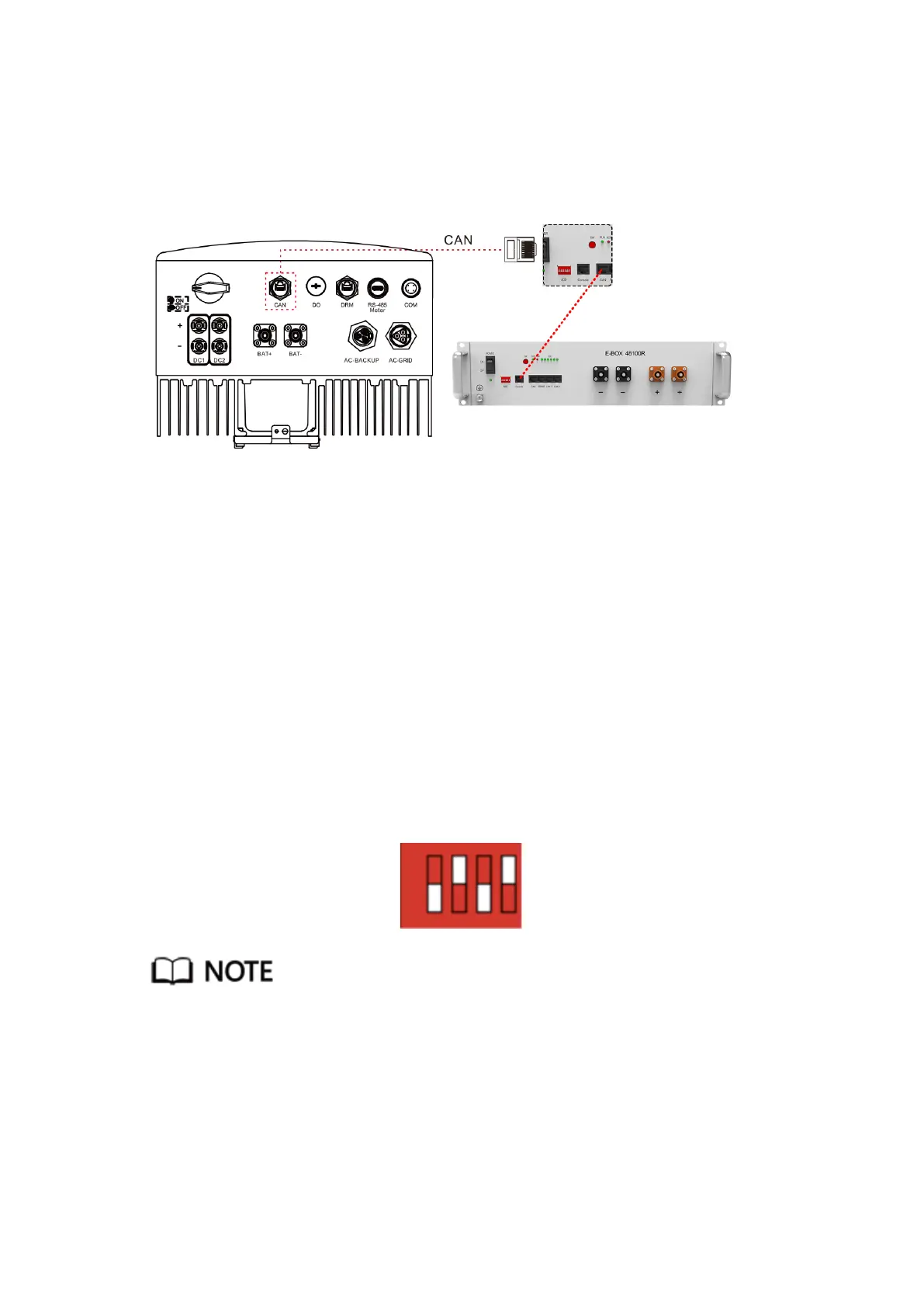
The RHI-5G series uses CAN cable to communicate with Battery’s BMS. The image
below shows the connection of the CAN communication cables.
Step 1 Take out the CAN cable (terminal marks “CAN” on one end and “to battery” on the
other end).
Step 2 Unscrew the swivel nut from CAN port.
Step 3 Insert the RJ45 terminal with CAN label into the CAN port, then fasten the swivel
nut.
Step 4 Connect the other end to the CAN port of master battery.
DIP Switch Setting
Step 1 Set the right DIP setting for inverters accordingly. For Solis, the DIP switch is
“0,1,0,1”.
Different inverter will have different setting, please result installer for details.



 To Next Page