EasyManua.ls Logo

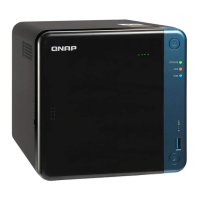
QNAP TR-004 - User Manual

QNAP TR-004
45 pages
Print Icon
To Next Page IconTo Next Page
Loading...
External RAID
Enclosure
TR-002
TR-004
User Guide
Document Version: 1
25/02/2019

Other manuals for QNAP TR-004

Questions and Answers

QNAP TR-004 Specifications

General IconGeneral
Hot-swapYes
RAID levels0, 1, 5, 10, JBOD
Data transfer rate3 Gbit/s
Storage drive size2.5/3.5 \
Number of storage drives supported4
Supported storage drive interfacesSerial ATA II
USB version3.2 Gen 1 (3.1 Gen 1)
USB connector typeUSB Type-C
USB ports quantity1
USB connector genderFemale
Noise level18.1 dB
Country of originTaiwan
Storage temperature (T-T)-20 - 70 °C
Operating temperature (T-T)0 - 40 °C
Operating relative humidity (H-H)5 - 95 %
Power source typeAC
AC adapter input voltage100 - 240 V
Fan diameter120 mm
Product typeHDD/SSD enclosure
Product colorBlack
Number of fans1 fan(s)
Cables includedAC, USB Type-A to USB Type-C
Harmonized System (HS) code84733080
Weight and Dimensions IconWeight and Dimensions
Depth219 mm
Width160.2 mm
Height168.5 mm
Weight1850 g

Summary

Product Overview

Hardware Specifications

Details the technical specifications of the TR-002 and TR-004 enclosures.

Hardware Installation

Drive Installation

Provides instructions for installing 3.5-inch and 2.5-inch drives into the enclosure.

Connecting to a NAS

Guides on how to connect the RAID enclosure to a QNAP NAS.

Connecting to a Computer

Guides on how to connect the RAID enclosure to a Windows, macOS, or Linux computer.

RAID Configuration

Supported RAID Types

Describes the different RAID types supported by the enclosures (JBOD, RAID 0, 1, 5, 10).

Storage Modes

Explains the available storage modes: NAS Storage and External Storage.

Storage Modes and Platform Support

Details compatibility of storage modes with platforms and configurations.

Mode Switch

Explains how to use the physical mode switch for RAID configuration.

Configuring RAID Settings via Mode Switch

Provides step-by-step instructions for setting RAID modes via the mode switch.

Switching Between RAID Modes

Guides on changing between different RAID and control modes.

Basic Operations

Troubleshooting

Enclosure Recognition Issues

Provides steps to ensure the system recognizes the RAID enclosure when issues arise.

Hot-swapping Failed Drives

Details the process of replacing failed drives without shutting down the system.

Related product manuals