Need help?
Do you have a question about the QNAP TL-D800C and is the answer not in the manual?
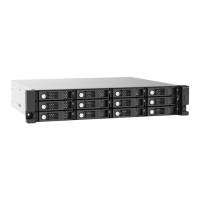
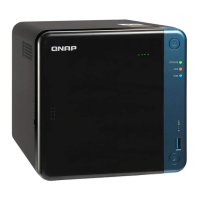
Provides information on the QNAP TL-D800C JBOD enclosure and instructions.
Intended for consumers and storage administrators with basic storage knowledge.
Explains symbols used in the guide for notes, important notes, tips, and warnings.
Explains QNAP JBOD enclosures and the TL-D800C's features and compatibility.
Lists technical specifications like drive bays, compatibility, ports, and form factor.
Lists the items included in the product package, such as the enclosure and cables.
Details the components and LEDs located on the front of the JBOD enclosure.
Identifies the ports, switches, and connectors on the rear of the JBOD enclosure.
Illustrates the sequential numbering of the drive bays on the enclosure.
Outlines the environmental, hardware, and tool requirements for installation.
Provides a step-by-step guide for the initial setup of the JBOD enclosure.
Step-by-step instructions for installing 3.5-inch hard drives into the enclosure trays.
Detailed instructions for installing 2.5-inch drives into the enclosure's 3.5-inch trays.
Guides users on how to connect the JBOD enclosure to a QNAP NAS.
Instructions for connecting the JBOD enclosure to a computer system.
Step-by-step guide on how to attach the USB cable clip for cable management.
Instructions on how to detach a USB cable from the cable clip.
Explains the system status indications provided by the LEDs on the enclosure.
Describes the audio alerts and their meanings, and how to control them.
Details the fan speed switch settings and their effect on fan operation.
Steps to force recognition if the enclosure is not detected by software.
Procedures for replacing failed drives while the system is operational.
Provides links to documentation, service portal, downloads, and community forums.
Definition of QTS as the QNAP NAS operating system.
Definition of the software utility for managing JBOD enclosures.
Definition of the QTS utility for managing JBOD enclosures connected to a NAS.
Information regarding the warranty period and terms for QNAP products.
Legal disclaimers regarding product use, liability, and intellectual property.
Details the terms and conditions of the GNU General Public License.
States compliance with CE standards for the QNAP NAS.
Details FCC compliance requirements for the device.
Information regarding VCCI compliance for the device.
Information regarding BSMI compliance and RoHS standard.
 General
| Hot-swap | Yes |
|---|---|
| Storage drive size | 2.5/3.5 \ |
| Total installed storage capacity | 0 TB |
| Number of storage drives supported | 8 |
| Supported storage drive interfaces | Serial ATA II, Serial ATA III |
| Noise level | 26.2 dB |
| Country of origin | Taiwan |
| Data transfer rate | 6 Gbit/s |
| Fan diameter | 120 mm |
| Product type | HDD/SSD enclosure |
| Product color | Black, Grey |
| LED indicators | Fan fail, HDD, Link |
| Number of fans | 2 fan(s) |
| USB version | 3.2 Gen 2 (3.1 Gen 2) |
| USB connector type | USB Type-C |
| USB ports quantity | 1 |
| USB connector gender | Female |
| Cables included | USB Type-C to USB Type-A |
| Number of keys included | 2 pc(s) |
| Power source type | AC |
| AC adapter frequency | 50/60 Hz |
| AC adapter input voltage | 100 - 240 V |
| Storage temperature (T-T) | -20 - 70 °C |
| Operating temperature (T-T) | 0 - 40 °C |
| Operating relative humidity (H-H) | 5 - 95 % |
| Harmonized System (HS) code | 84733080 |
 Weight and Dimensions
| Depth | 281.4 mm |
|---|---|
| Width | 329.3 mm |
| Height | 188.2 mm |
| Weight | 6180 g |
| Package weight | 7540 g |


 To Next Page