• Observe electrostatic discharge (ESD) procedures to avoid damage to components.
1. Check the expansion cards and brackets supported by your model on the QNAP website.
a. Go to www.qnap.com/compatibility.
b. Click Search by NAS.
c. Specify the number of bays and the specific model of your NAS.
d. Under Category, select the component or device type.
e. Locate a specific component or device model in the list.
f. Optional: Click the corresponding Note icon to view more information.
2. Power off the NAS.
3. Disconnect the power cord from the electrical outlet.
4. Disconnect all cables and external attachments.
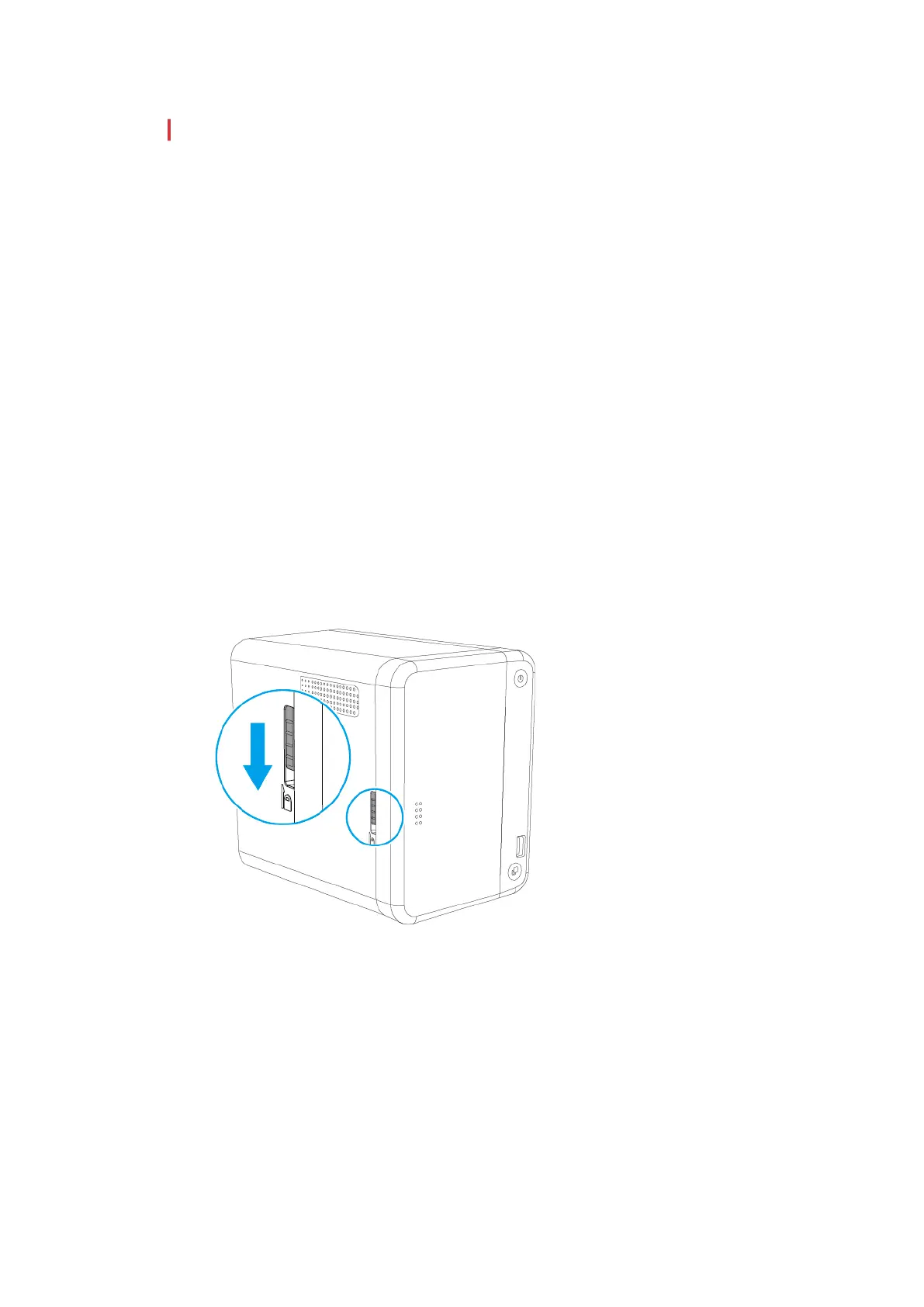
5. Remove the front cover.
a. Locate the lock on the left side of the NAS.
b. Slide the lock down to release the cover.
c. Slide the cover to the left.
d. Remove the cover.
TS-251B User Guide
Installation and Configuration 20



 To Next Page
 Loading...