14. Connect all cables and external attachments.
15. Connect the power cord to the electrical outlet.
16. Power on the NAS.
Replacing Memory Modules
The TS-251B has two memory slots. You can increase the memory capacity of the NAS by upgrading the
memory modules. When using two modules, use only QNAP modules of the same type and capacity to
maintain system performance and stability. You can purchase QNAP memory modules from authorized
resellers.
Warning
• Only qualified personnel should perform the following steps. Failure to follow
instructions can result in serious injury or death.
• Observe electrostatic discharge (ESD) procedures to avoid damage to components.
1. Power off the NAS.
2. Disconnect the power cord from the electrical outlet.
3. Disconnect all cables and external attachments.
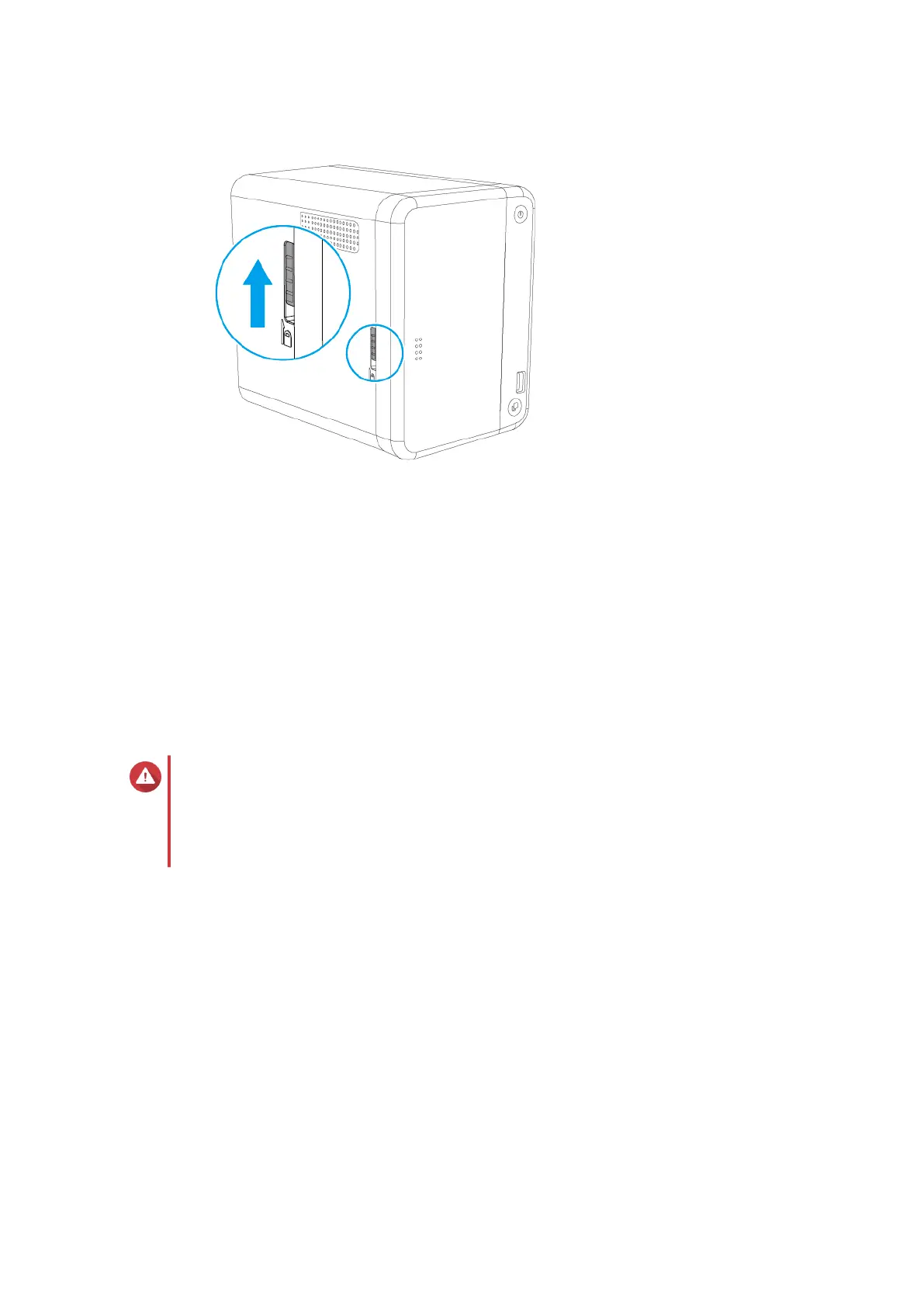
4. Remove the front cover.
a. Locate the lock on the left side of the NAS.
b. Slide the lock down to release the cover.
TS-251B User Guide
Installation and Configuration 26



 To Next Page
 Loading...