EasyManua.ls Logo

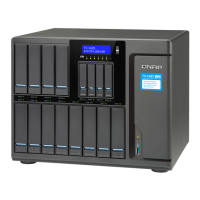
QNAP TS-h 90FU Series - User Manual

QNAP TS-h 90FU Series
75 pages
Print Icon
To Next Page IconTo Next Page
Loading...
TS-hx90FU
TS-h1090FU
TS-h2490FU
User Guide
Document Version: 3
24/08/2022

Questions and Answers

  • D
    Dale RogersAug 12, 2025
    How to hot-swap failed drives on a QNAP Server?
    • R
      Robert HernandezAug 13, 2025
      To hot-swap failed drives on your QNAP Server, follow these steps: 1. Log on to QuTS hero. 2. Go to Main Menu > Storage & Snapshots > Storage > Disks/VJBOD. 3. Locate the failed drive. 4. Prepare a new hard drive with the same or larger capacity. 5. Remove the failed drive from the device and wait for 20 seconds or until the device beeps twice. 6. Remove the failed drive from the drive tray, insert the new drive into the drive tray, and install the new drive.
  • K
    Kelly MartinezAug 21, 2025
    What to do if I have failed drives in my QNAP TS-h 90FU Storage?
    • D
      Dustin HarrisAug 21, 2025
      To replace failed drives in your QNAP Storage, log on to QuTS hero, then navigate to Main Menu > Storage & Snapshots > Storage > Disks/VJBOD to find the failed drive. Prepare a new hard drive with equal or greater capacity than the failed one. Remove the old drive from the device and wait about 20 seconds (or until you hear two beeps). Then, remove the failed drive from its tray, insert the new drive, and install it.
  • M
    murphycameronSep 1, 2025
    What to do if Qfinder Pro or myQNAPcloud is unable to locate the QNAP Server during QuTS hero installation?
    • M
      Ms. Michele BaileySep 1, 2025
      If Qfinder Pro or myQNAPcloud can't find the QNAP Server during QuTS hero installation, it might be due to faulty drives or data. To resolve this, power off the NAS, remove all drives, power it back on, and use Qfinder Pro or myQNAPcloud to locate the NAS. Once found, reinsert the drives and continue with the QuTS hero installation.

QNAP TS-h 90FU Series Specifications

General IconGeneral
Flash Memory4GB (Dual boot OS protection)
Hot-swappableYes
SSD Cache Acceleration SupportYes
Form FactorTower
Power Supply Unit250W, 100-240V AC
Kensington Security SlotYes
CPU Architecturex86-64
Maximum Memory64 GB
Drive TypeSATA HDD/SSD
M.2 SSD Slot2 x M.2 2280 NVMe Gen3 x4 slots
Slot 1PCIe Gen3 x8 (x8 lane)
USB 3.2 Gen 2 (10Gbps) Port2 x Type-A USB 3.2 Gen 2 10Gbps
HDMI Output1
LED IndicatorsHDD, Status, Network, USB, Power
ButtonsPower, Reset
Operating Temperature0°C to 40°C (32°F to 104°F)
Relative Humidity5% to 95% non-condensing
Operating SystemQuTS hero

Related product manuals