SECTION 3
OPERATING PRINTER
34
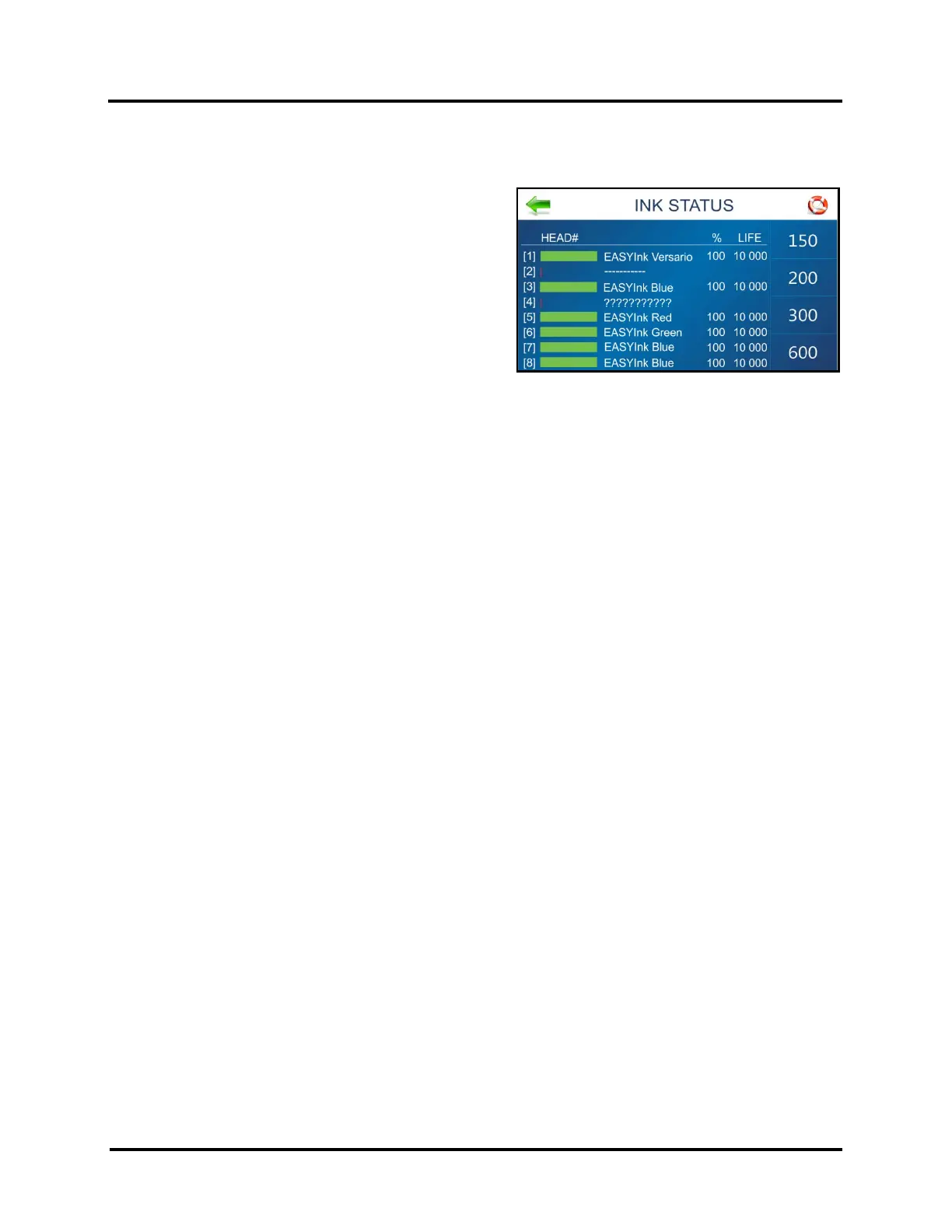
INK STATUS Screen
Shows the percentage (%) of ink remaining in each Ink
Cartridge (HEAD#) and the estimated number of prints (LIFE)
remaining at a selected print quality (resolution).
Select a Resolution from the choices (150, 200, 300, 600) on
the right-hand side of the screen.
NOTE: Estimation is based on the last page printed.
“---------” or “??????” = Missing or Unauthorized Cartridge
See section titled “Supplies – Compatible Inkjet Cartridge” for
a list of authorized Inkjet Cartridges.
TIP: If an “authorized” Cartridge is installed, try opening and closing the Latch Lever.
If issue continues remove, clean and dry cartridge contacts. Then re-install Ink Cartridge.
If issue continues, replace Ink Cartridge. Report Ink Cartridge problems to your service representative.
Ink Status is also accessible by pressing the Quick Menu key on the Control Panel.



 To Next Page