SECTION 1
GETTING ACQUAINTED
7
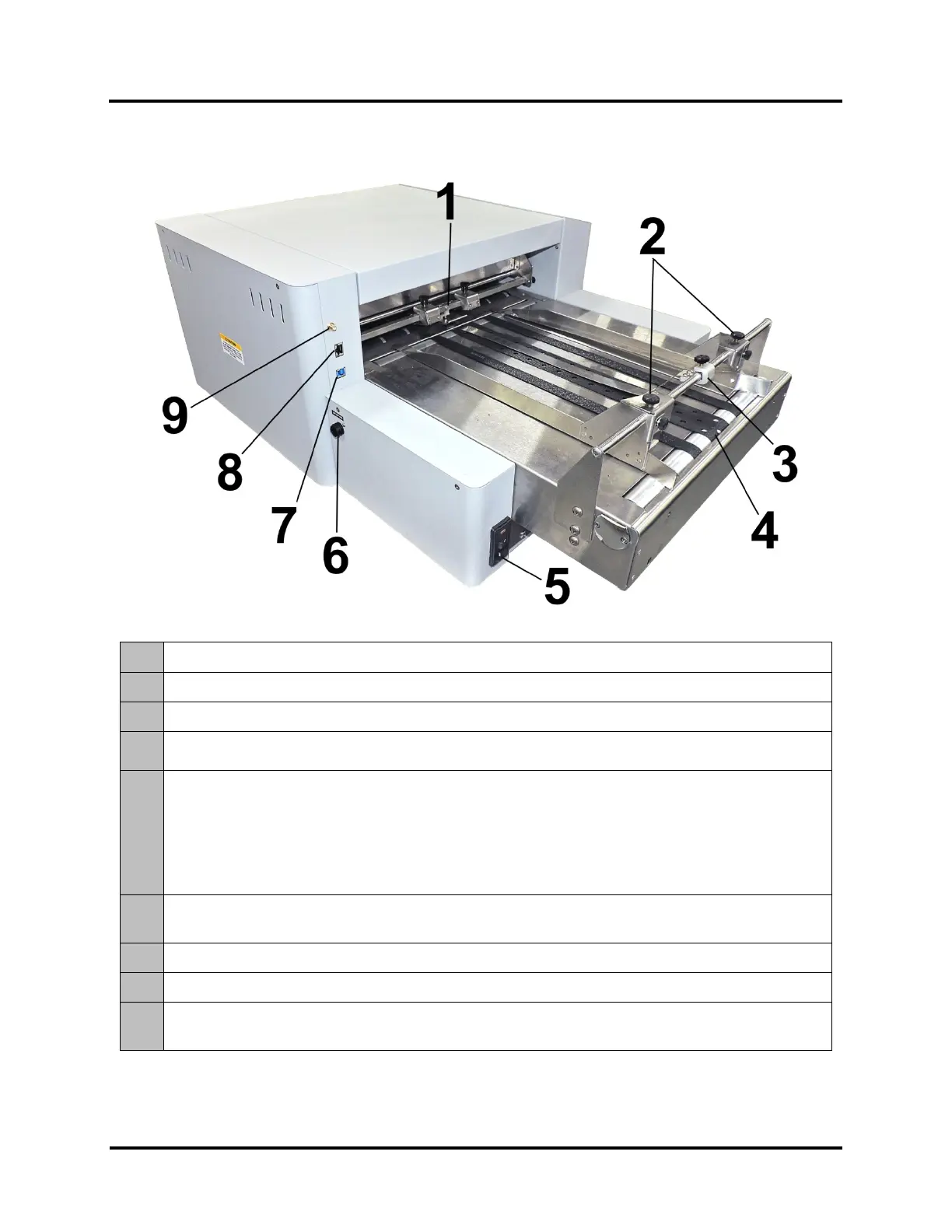
Rear View
1.
ENTRY PRESSURE ROLLERS – Drives media to and under the Printheads.
2.
MEDIA SIDE GUIDES – Used to position and guide media into the Printer.
3.
MEDIA HOLD-DOWN STRAP – Holds media flat when feeding under Printheads.
4.
TRANSPORT BELTS – Three Transport Belts move media to the Printheads. The two, narrow Outer
Transport Belts can be repositioned to accommodate different widths of media.
5.
MAIN POWER SWITCH, POWER RECEPTACLE AND FUSES – Power cord plugs in here.
WARNING: Verify that the receptacle shows the correct voltage 115V or 220V selection.
Switch turns Main Power ON/OFF. Fuses provides over-current protection.
IMPORTANT: To safely power-down Printer, press the Shutdown/Restart Key, located on the control panel. Then
select “Shutdown”. Wait for cursor to stop blinking or disappear before turning OFF Main Power Switch.
CAUTION: Double pole/neutral fusing. For continued protection against risk of fire, replace only with same type
6.
FEEDER INTERFACE CONNECTOR – Allows connection to an optional feeder, so the printer can
stop/start the feeder appropriately.
7.
USB 3.0 (USB 3.1 Gen 1) PORT – Connects Printer to computer. (Also supports USB 2.0)
8.
ETHERNET PORT – Connects Printer to a network.
9.
WIFI PORT – Connect WiFi antenna (included) to monitor or operate Printer wirelessly through your
network.



 To Next Page