SECTION 4
MAINTENANCE
71
Cleaning Media Sensor
Periodically check Media Sensor for dust and debris,
(located under Media Sensor Reflector Plate).
1. Use the Media Thickness Knob to raise the
Printhead Carriage Assembly to its highest setting.
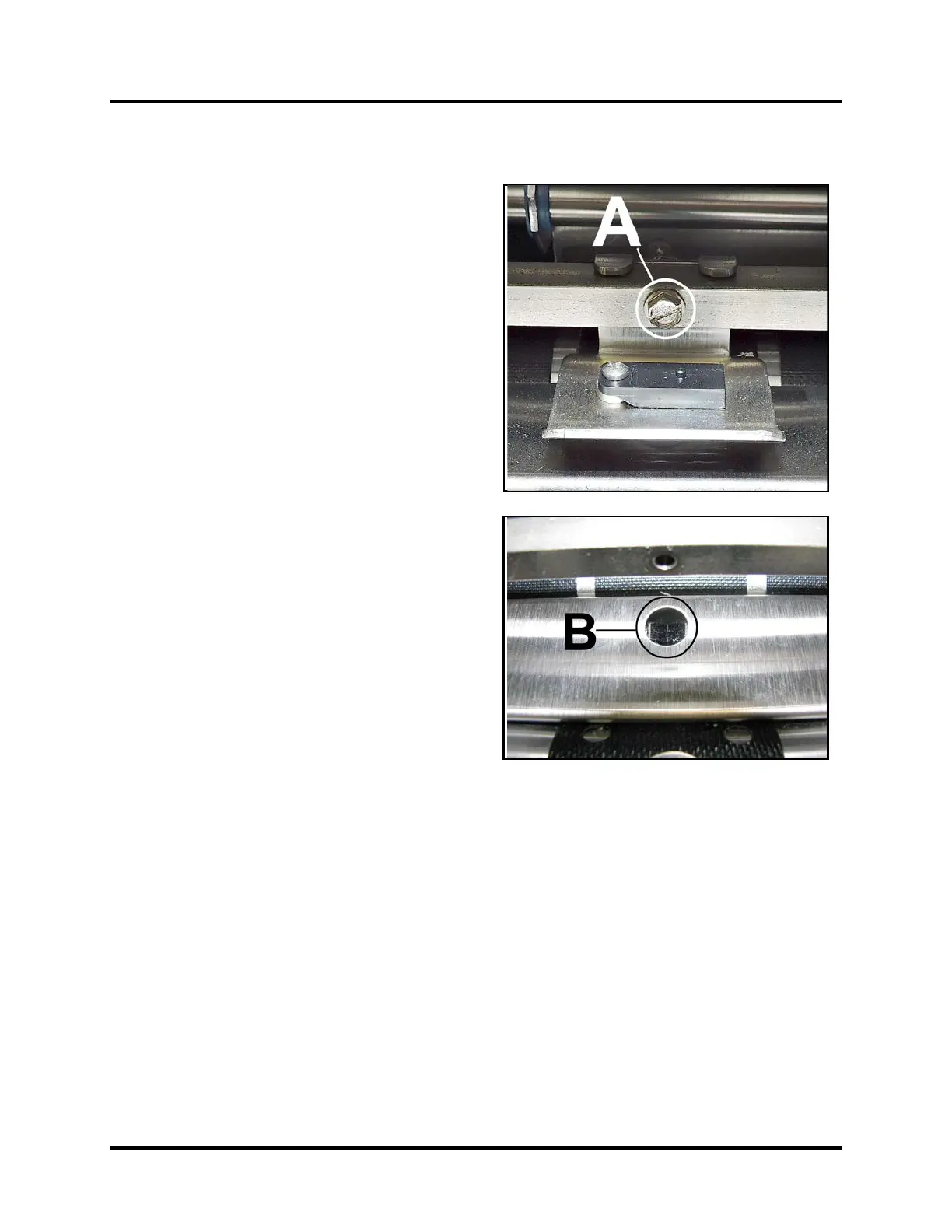
2. Wipe the Reflector surface (under the mounting
plate) with a clean, lint-free cloth.
NOTE: If necessary, you can remove the screw and
nut [A] to remove the Media Sensor Reflector
Plate.
3. Wipe off dust or use canned or compressed air
aimed into the Media Sensor port [B] to remove
dust and debris from the Sensor.
CAUTION: Compressed Air propellant can be
flammable. Let printer sit to ventilate for a few
minutes before reconnecting power cord and
switching Main Power Switch ON



 To Next Page