SECTION 3
OPERATING PRINTER
16
Setting Up the Media Transport System
Media Side Guide and Transport Belt Adjustment
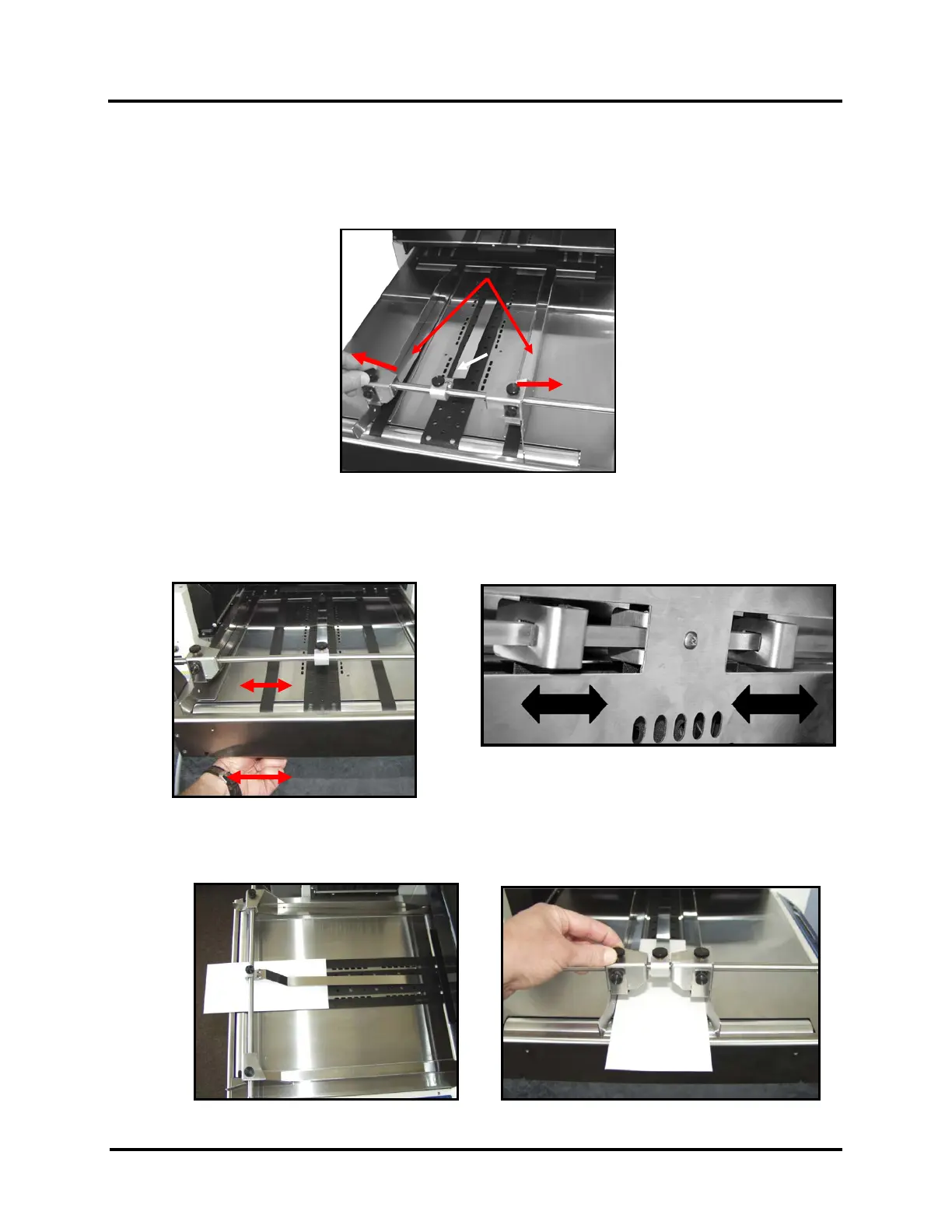
1. Loosen the Side Guide Securing Knobs and slide the Media Side Guides [1] apart.
Center the Media Hold-Down Strap [2] over the wide, center transport belt.
2. Reposition the Outer Transport Belts so they accommodate the width of your media.
The Outer Transport Belts can be moved by running the printer (putting the printer in Paper Feed mode)
then sliding the belt guide adjusters, located under the entrance end of the printer, as shown below.
3. Slide one piece of media, centered, in the entrance end of the printer, as shown below.
Adjust the Media Side Guides to the width of the media, plus 1/32”.
Belt Guide Adjusters
(As viewed from under printer)



 To Next Page