page 3
Preface
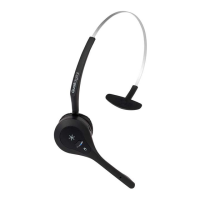
Quail Digital Pro9 is a wireless headset system designed to facilitate order-taking in the drive-thru lane
of a quick service restaurant. Team members wearing wireless headsets communicate with customers
through a remote order point containing a microphone and speaker which activate on arrival of
their vehicle at the post. Headset users can communicate with the customers, and on a private
channel, with each other. The system uses the internationally approved DECT telephony standard
and specification for transmission. Page 28 of this manual lists the Pro9 system components. The sale,
installation and support of the product is undertaken by organisations and individuals known to or
appointed by Quail Digital.
Introduction
This manual is aimed at the technician level reader who is expected to be familiar with all safety
precautions relevant to the use of electrical equipment.
The Pro9 system differs from other drive-thru headset systems as it is digital all the way from the
order point to the headset. This improves audio quality, clarity and acts as a shield from external
interference.
If you are unfamiliar with Quail Digital products, you are encouraged to watch our training films on
this product before you start the installation and to follow the installation steps in the order presented
in this guide.
Quail Digital uses direct burial Cat5 or ISP 22AWG Belden cable for the link between the order post
and the base station and always recommends these solutions. Proprietary or recommended cables
used by other headset suppliers have been tested with Pro9 and can be used if already in the ground
(subject to testing).
What’s in the box
•
Pro9 Headset (Q-P9HS) (optional items)
•
Pro9 Base Station (Q-P9BS)
•
Pro9 Repeater (Q-P9RP)
•
Pro9 Charger (Q-P9CH)
•
Pro9 accessory kit
•
Pro9 Drive-Thru Module (Q-P9DTM)
-
Junction Box (Q-P9JB)
•
Pro9 Speaker & enclosure (Q-P9SPK)
-
Auxiliary Connection Box (Q-P9ACB)
•
Pro9 Microphone & enclosure (Q-P9MIC)
-
Network Termination Box (P9NTEXT or
•
Acoustic foam (Q-P9FOAM) Q-P9NTINT)
Tools, cabling and equipment required
•
Small terminal flat blade screwdriver
•
Cat5 cable tester
•
Cordless drill
•
Direct burial specification Cat5 or ISP 22AWG
•
Tape measure Belden cable
•
Spirit level
•
RJ45 connectors (up to 4)
•
Marker pen
•
Multimeter
•
Cable strippers/diagonal side cutters
•
Stepladder
•
Cat5 cable crimping tool
•
Laptop or phone for setup
•
Cat5 patch lead



 To Next Page