page 23
Appendix J
Recording a ‘Pull forward’ message
To use Pro9 in a tandem drive-thru you will need to record a ‘Pull forward’ message to the base station
for Lane 2. It is good practice to record the same message to both base stations in case they are
swapped around at a later date.
Procedure
1. Record your ‘Pull forward’ message using a preferred audio/voice recorder, then rename the
recorded files to the required name in a known location of your computer.
2. Audio files need to be saved in mono (single track) and be encoded as: U-Law at 16 Khz. We
suggest using NCH Switch Plus (http://www.nch.com.au/switch) to convert your audio messages to
the correct format. It’s affordable for commercial use, and simple to use.
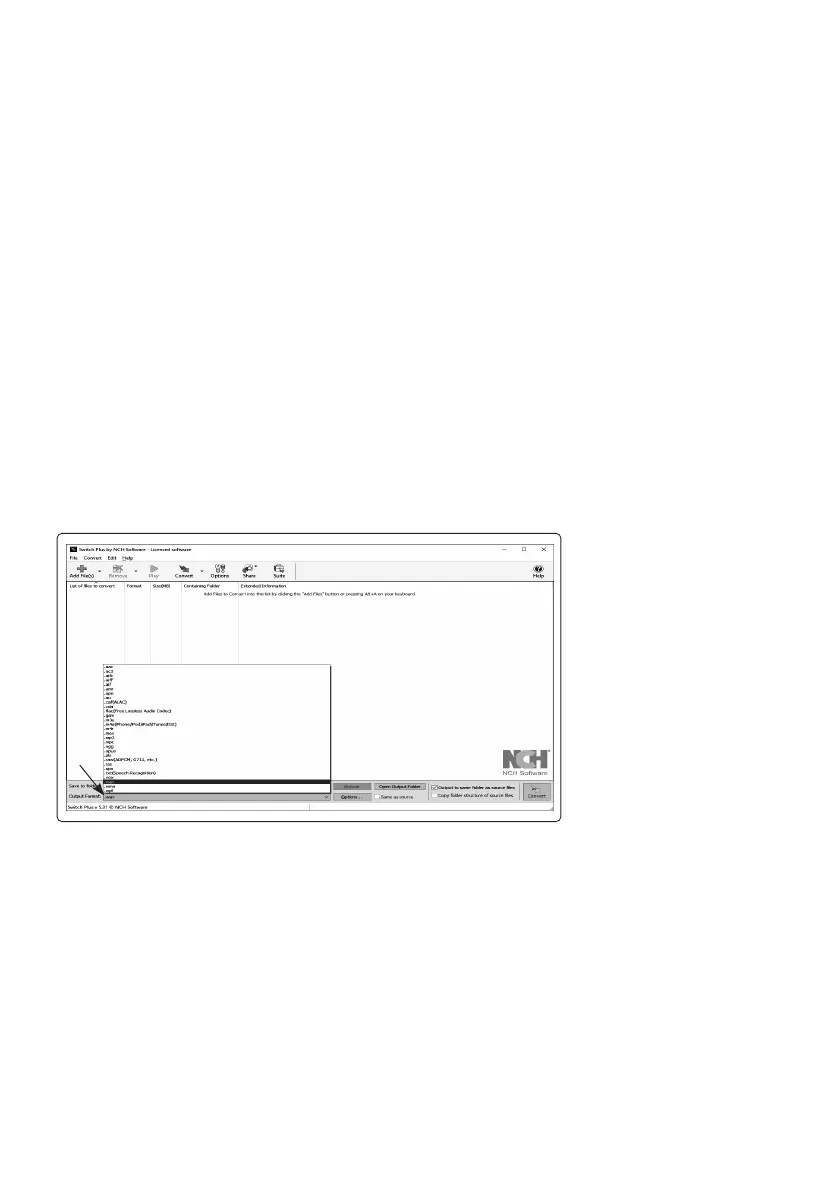
3. Open the NCH Switch program to the main screen, and then follow the steps outlined below:
a. Select ‘Output Format’ in the bottom left of the window, choose ‘.wav’
a.



 To Next Page