page 22
Single order
taker mode
Action Standby
Change mode
to order taker
Car arrival
order point 1
Car arrival
order point 2
Become order
taker
Revert to
runner
All headsets
Insert
battery, all
headsets
become
runners
Boom
LED
single
pulse
green
Press V- and T1
together, boom
LED will double
pulse green
Headset single
beep, press
T1 to open
channel. LED
changes to solid
green
Headset
double beeps,
press T2 to
open channel.
LED changes
to solid blue
Press V- and T1
together, boom
LED will double
pulse green
Press V- and T1
together, boom
LED will change
to single pulse
green
Dual order
taker mode
Action Standby
Change mode to
order taker
Car arrival
order point 1
Car arrival
order point 2
Become order
taker
Revert to
runner
Headset
lane 1,
order
point 1
Insert
battery, all
headsets
become
runners
Boom
LED
single
pulse
green
Press V- and T1
together, boom
LED will double
pulse green
Headset single
beep, press
T1 to open
channel. Single
beep to indicate
channel open,
LED changes to
solid green
No action
Press V- and T1
together, boom
LED will
double pulse
green
Press V- and
T1 together,
boom LED will
change to
single pulse
green
Headset
lane 2,
order
point 2
Insert
battery, all
headsets
become
runners
Boom
LED
double
pulse
green
Press V- and
T2 together,
boom LED will
single pulse blue
(runner), press V-
and T2 together
again, boom LED
will double pulse
blue
No action
Headset
double beeps,
press T2 to
open channel,
boom LED
changes to
solid blue
Press V- and T2
together, boom
LED changes to
double pulse
blue then press
and hold T2,
boom LED
changes to solid
blue
Press V- and
T2 together,
boom LED
changes to
single pulse
blue
Table
service
mode
Action Standby
Change mode
to table service
Table service
channel
operation
Become DT order taker Revert to runner
All headsets
Insert
battery, all
headsets
become lane
1 runners
Boom LED
single
pulse
green
Press V- and *
together, boom
LED will single
pulse yellow
Press * and hold
to talk, boom
LED changes to
solid white
Press V- and T1 together,
boom LED will single pulse
green, press V- and T1
together again, boom LED
with double pulse green
Press V- and T1
together, boom
LED will
change to single
pulse green
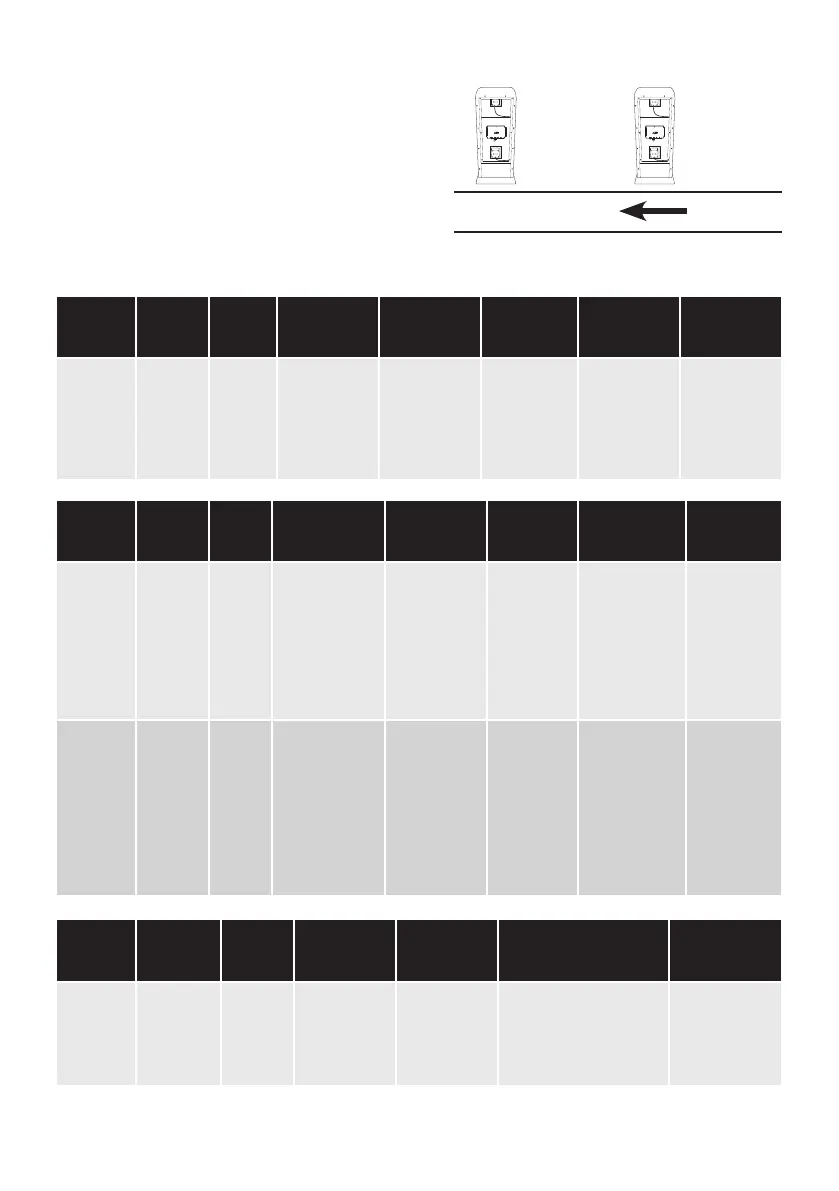
For tandem lane, it is essential that Order point 2
comes first before Order point 1 in the direction
of traffic flow, as Figure 26. The message to “Pull
forward” is played from Order point 2 when
there is no vehicle at Order point 1. Order point
1 is always the main order position; Order point
2 is used only during busy times.
Order
point 1
Order
point 2
Drive-thru lane
Figure 26 - Tandem lane, order point sequence



 To Next Page