19
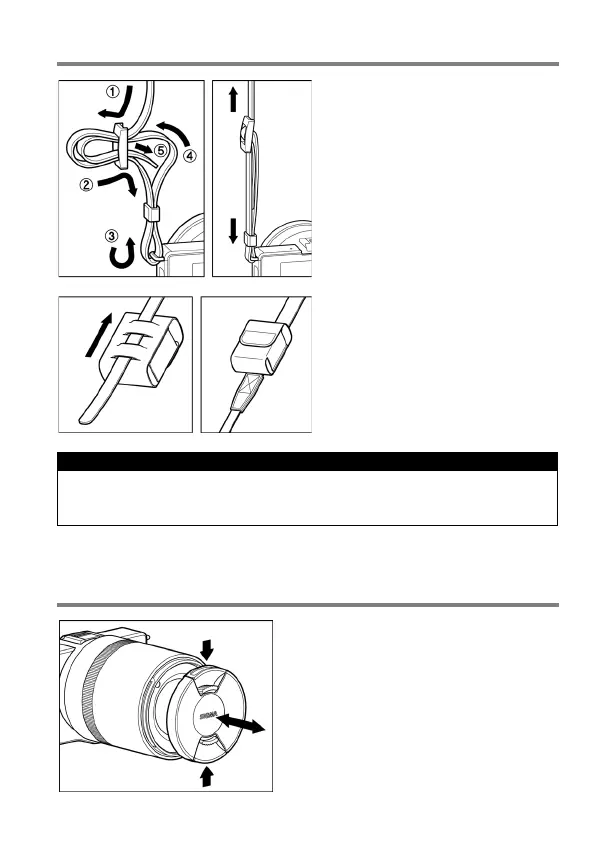
ATTACHING THE CARRY STRAP
1
Undo the strap end.
2
Attach the carry strap as shown.
This strap can be attached to a
battery case that is convenient for
carrying a spare batte r y.
CAUTION !!
The battery and battery case are not water-proof. Be sure not to get
water on them.
LENS CAP
To preserve the lens, the lens cap is
attached. If you do not use the camera,
please keep the lens cap attached.
Attach or remove the lens cap as shown
in the illustration.



 To Next Page