23
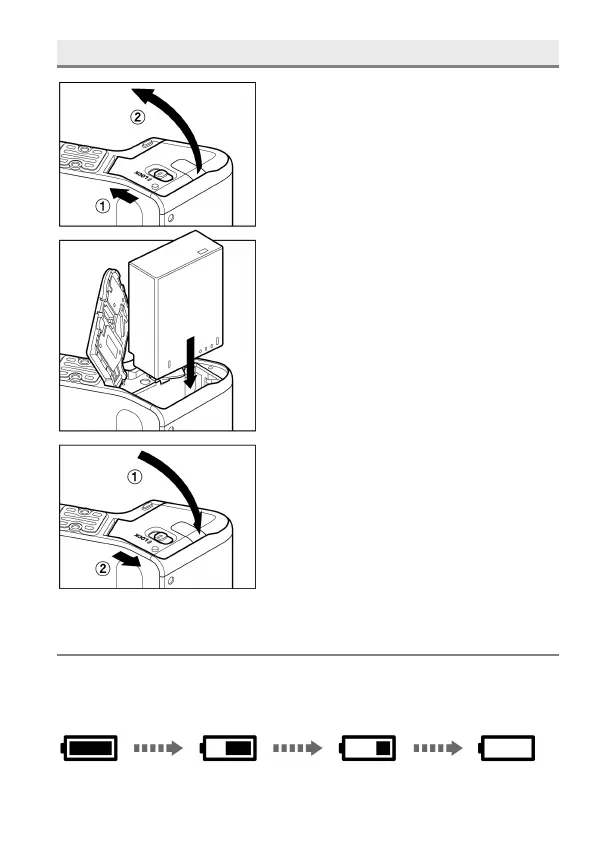
LOADING THE BATTERY
1
Slide the Release lever to the OPEN
position, and open the Battery Cover as
shown in the illustration.
2
Insert the battery until it locks into place.
3
Close the Battery Cover and Slide the
Release lever to the LOCK position as
shown in the illustration.
CHECKING THE BATTERY STATUS
The battery icon, which shows the capacity of the battery, is shown on the
left corner on the color LCD panel. Please take notice of the battery status
before and when in use.



 To Next Page