89
TTL AUTO FLASH
In the TTL AUTO Mode, the camera will control the amount of flash lighting
to provide the appropriate exposure for the subject. (Please use this mode
for ordinary photography.)
1
Turn off the camera and remove the hot shoe
cover.
2
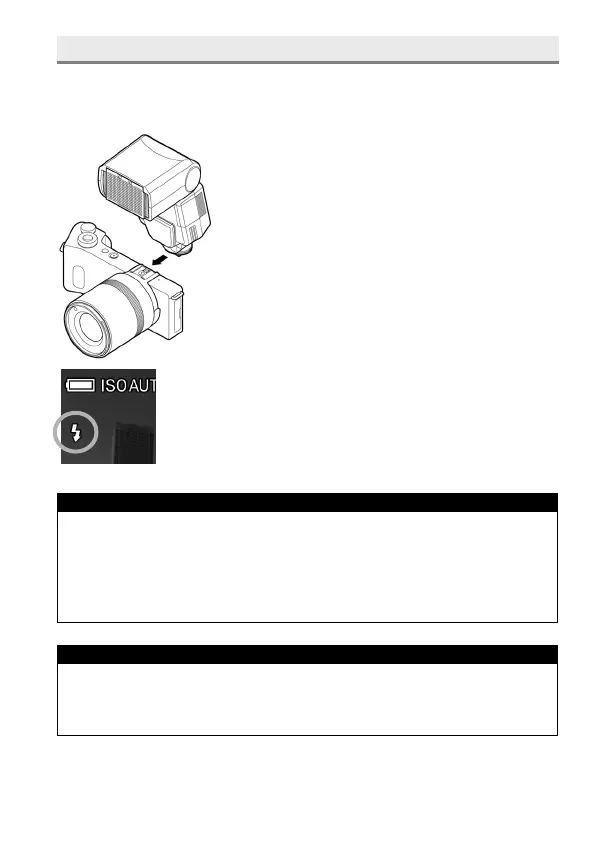
Attach the flashgun by referring to its instruction
manuals.
3
Turn on the camera and follow the steps
described in the instruction manual and set the
flash mode to TTL.
4
Make sure that the Flash Mode icon is displayed on the
LCD monitor.
WARNING !!
Please be aware that when you charge the external flash, the flash
mode icon will turn on and off. If you release a shutter during such time,
it will not flash and causes camera shake or underexposure.
When camera exposure mode P, A, or S is used, shutter speed can be
set up to 1/200 sec. (There is no limit when M mode is used.)
TIP
If the ISO sensitivity setting is set to [ISO AUTO] and the external flash
is used, the value set in [Lower limit] of [ISO Auto Range] will be
applied.



 To Next Page