27
CAUTION !!
The camera’s internal clock is powered by a capacitor that receives its
charge from camera’s battery. If the camera is without battery for an
extended period of time, such as after prolonged storage, the internal
clock will need to be reset.
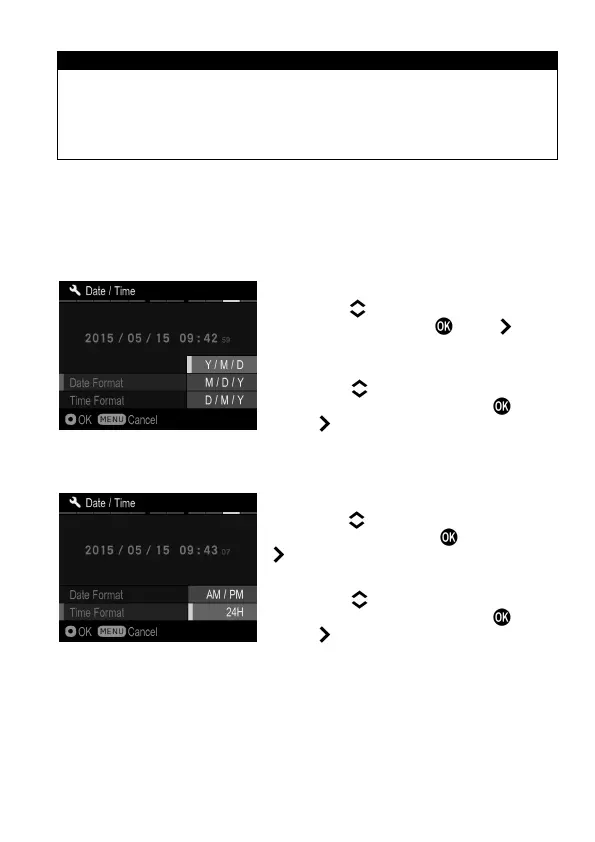
TO CHANGE THE ORDER OF THE DATE
The date can be displayed in one of three formats: M/D/Y (month/day/
year), D/M/Y (day/month/year), or Y/M/D (year/month/day).
1
Use the buttons to select [Date
Format], and press the or the button
to open the sub menu.
2
Use the buttons to select your
preferred format, and press the button
or the button to confirm.
TO SWITCH 24 HOUR AND 12 HOUR (AM/PM) DISPLAY
1
Use the buttons to select [Time
Format], and press the
button or the
button to open the sub menu.
2
Use the buttons to select your
preferred format and press the button
or the button to confirm.



 To Next Page