LTE Module Series
EC25-V User Manual
EC25-V_User_Manual Confidential / Released 28 /
69
3.6.4. Monitor the Power Supply
You can use the AT+CBC command to monitor the VBAT_BB voltage value. For more details, please
refer to document [2].
3.7. Turn on and off Scenarios
3.7.1. Turn on Module Using the PWRKEY
The following table shows the pin definition of PWRKEY.
Table 7: PWRKEY Pin Description
V
IH
max=2.1V
V
IH
min=1.3V
V
IL
max=0.5V
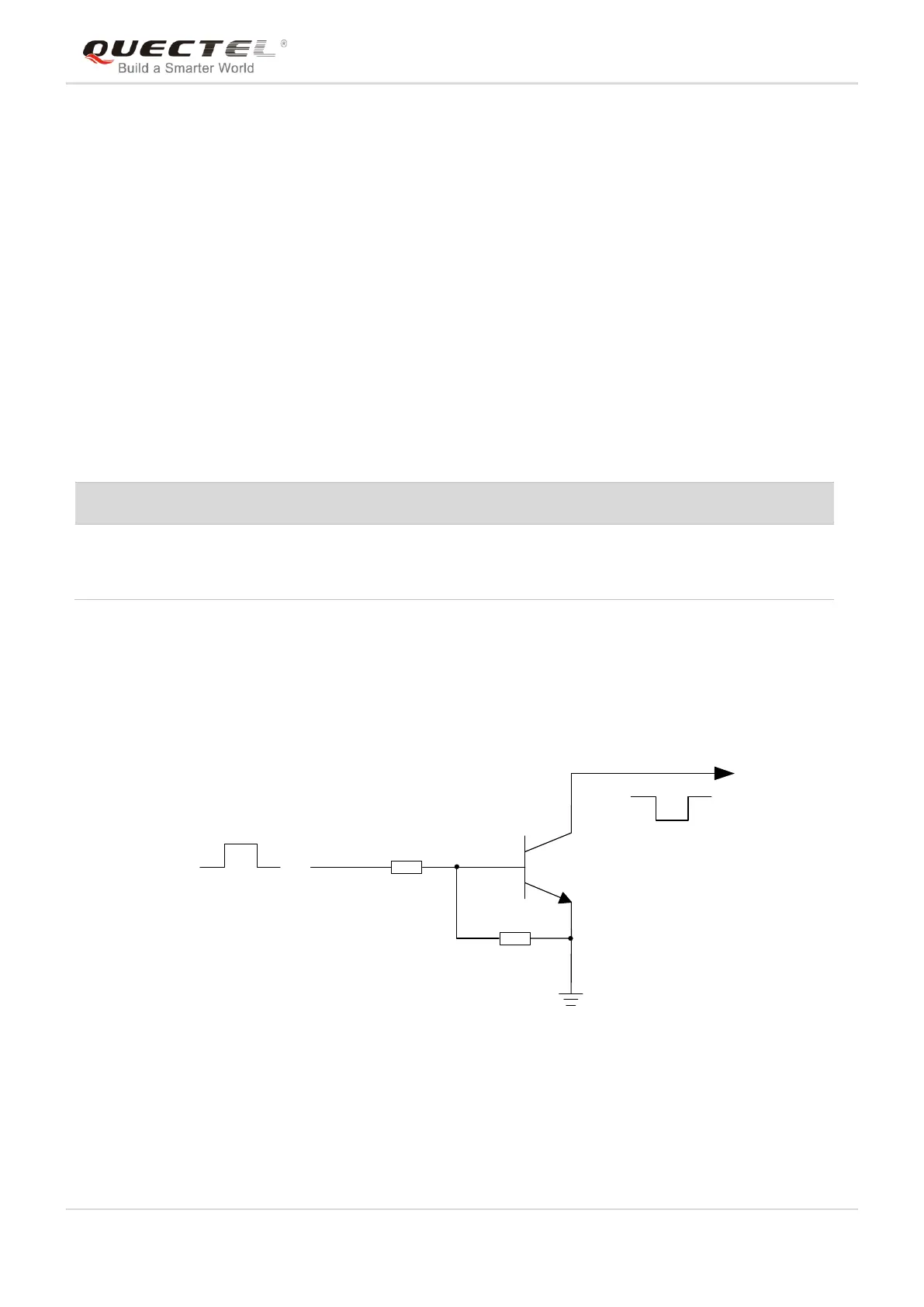
When EC25 is in power down mode, it can be turned on to normal mode by driving the PWRKEY pin to a
low level for at least 100ms. It is recommended to use an open drain/collector driver to control the
PWRKEY. After STATUS pin (require external pull-up) outputting a low level, PWRKEY pin can be
released. A simple reference circuit is illustrated in the following figure.
Turn on pulse
PWRKEY
4.7K
47K
≥ 100ms
Figure 10: Turn on the Module Using Driving Circuit
The other way to control the PWRKEY is using a button directly. A TVS component is indispensable to be
placed nearby the button for ESD protection. When pressing the key, electrostatic strike may generate
from finger. A reference circuit is shown in the following figure.




 To Next Page