GNSS Module Series
L89 EVB User Guide
L89_EVB_User_Guide 19 / 26
5 Usage of Teseo-Suite Pro Tool
After EVB accessories are assembled, please start the module and the Teseo-Suite Pro tool. The tool can
help users to view the status of GNSS receiver and monitor module calibration result conveniently. For
more details about the tool, please click “Help” and select “User Manual” in the tool interface.
5.1. View GNSS Receiver Status
5.1.1. COM Port and Baud Rate Setting
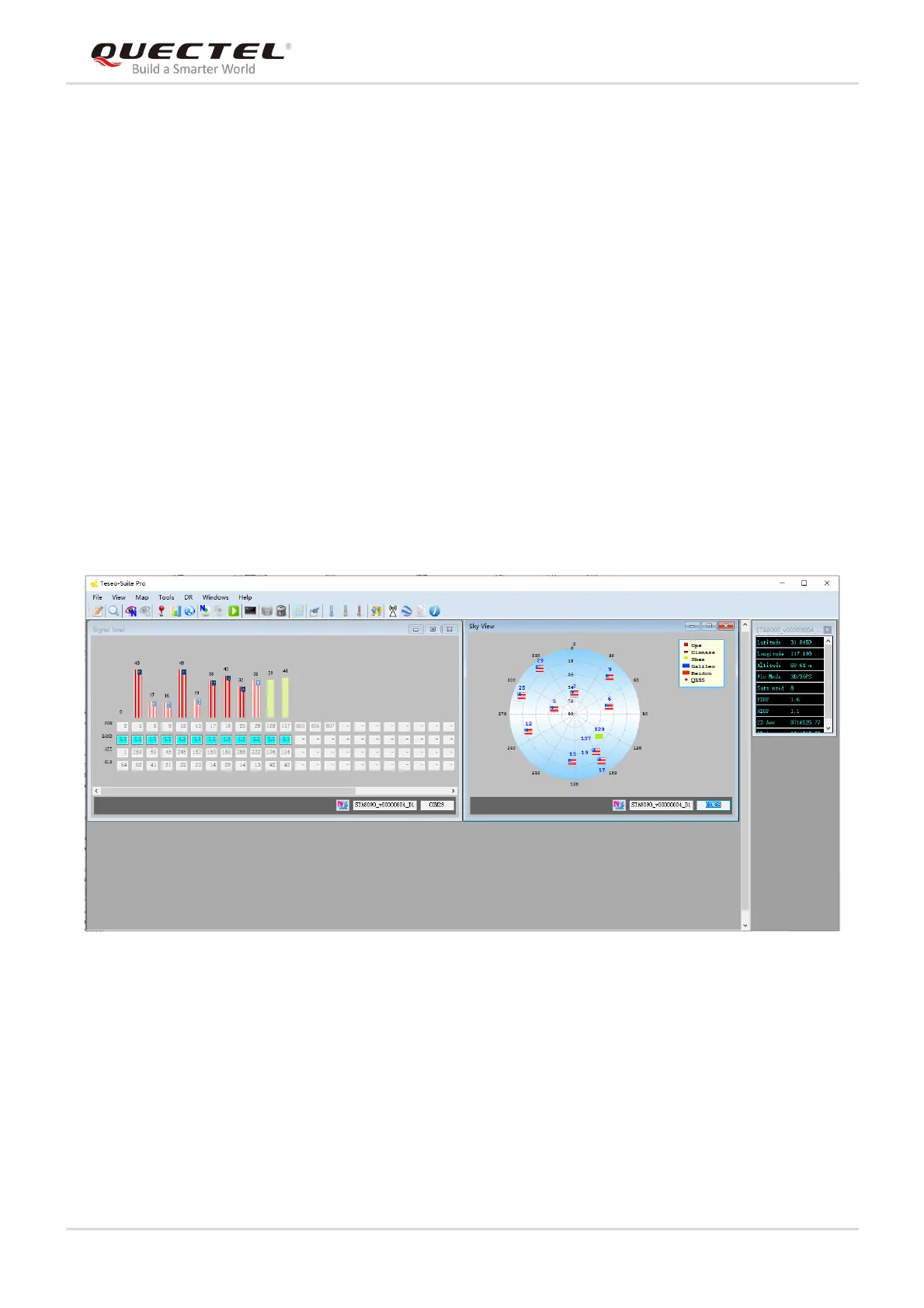
After the tool is started, the following interface will be displayed.
Figure 13: Teseo-Suite Pro Tool Interface
UART port can be automatically identified by Teseo-Suite Pro tool when the tool is started. If manual
modification is required, steps a to d illustrated in the following figure need to be performed.



 To Next Page