GNSS Module Series
L89 EVB User Guide
L89_EVB_User_Guide 22 / 26
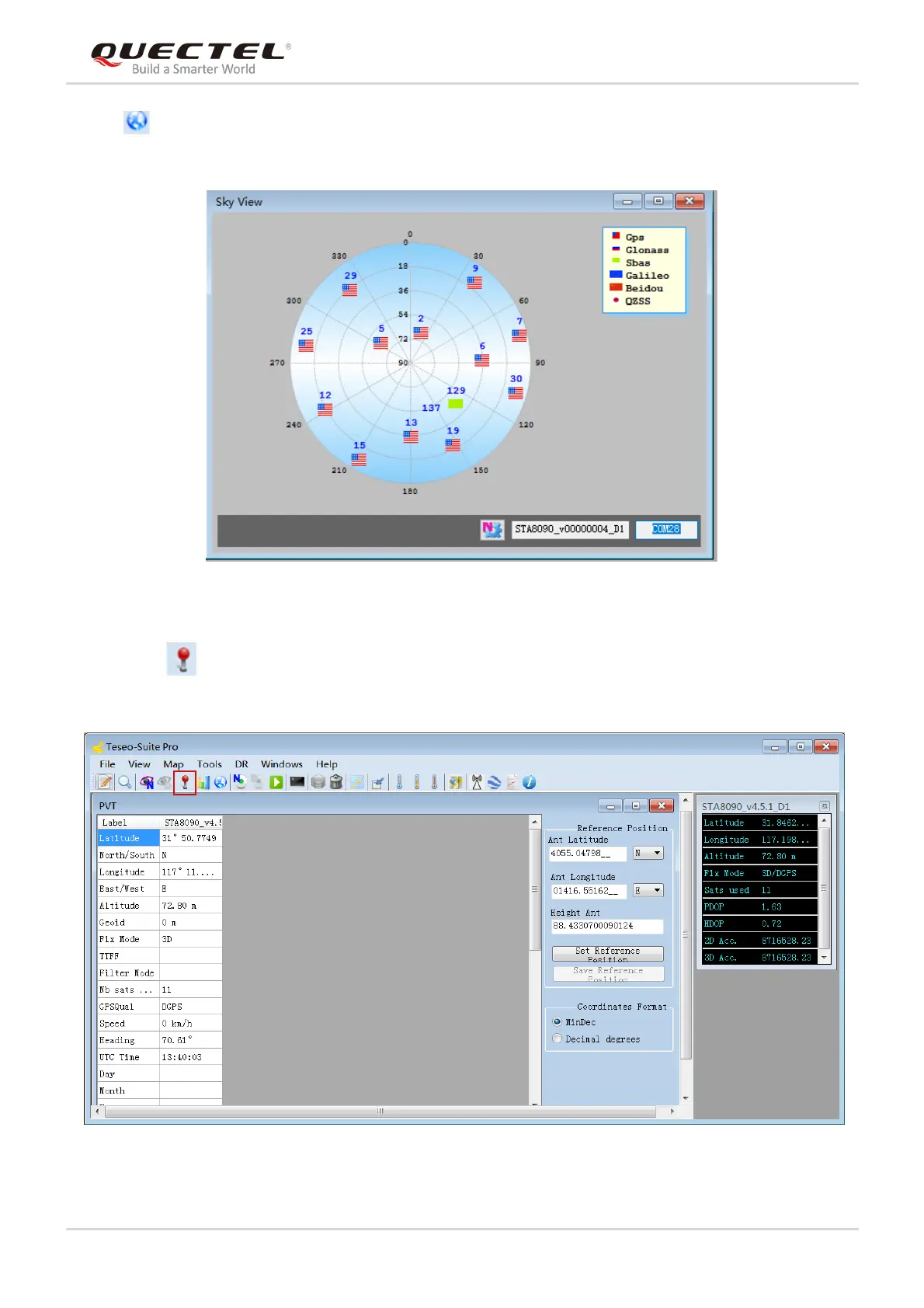
After button is clicked, the positions of the satellites that are relative to the earth and that are
received by L89 will be displayed.
Figure 16: Sky View
By clicking button, users can view the information such as positions, altitudes, fix modes, satellites in
use, speed, UTC Time, and precision.
Figure 17: Module Positioning Form



 To Next Page