EasyManua.ls Logo

Quectel SG560D Series - Turn on

Quectel SG560D Series
138 pages
Print Icon
To Next Page IconTo Next Page
To Previous Page IconTo Previous Page
Loading...
Smart Module Series
SG560D_Series_Hardware_Design 48 / 134
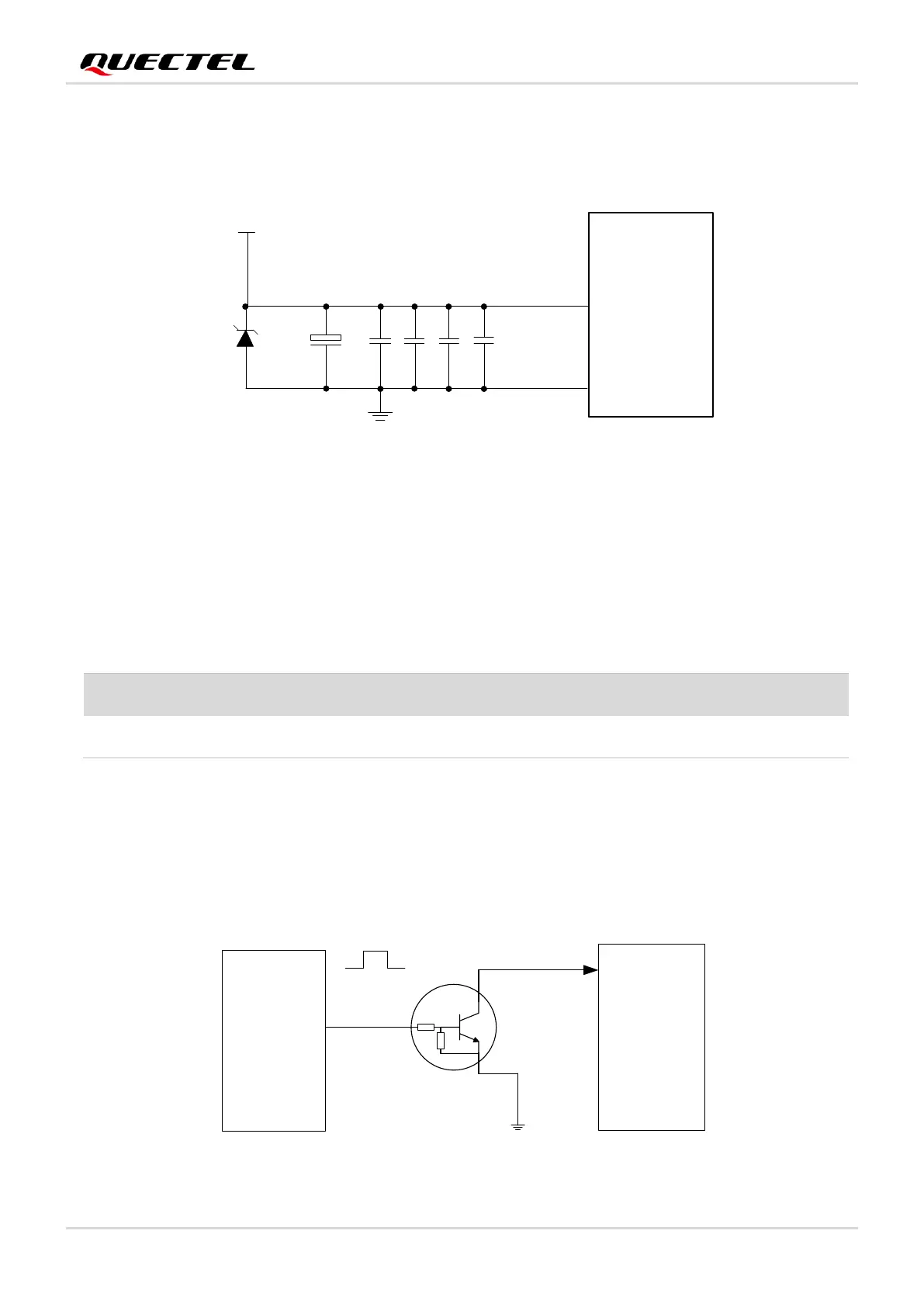
In addition, in order to get a stable power source, it is suggested to use a TVS diode and place it as close
to the VBAT pins as possible to enhance surge protection. The following figure shows the structure of the
power supply.
Module
VBAT
VBAT
C1
100
μF
+
C2
4.7
C5
C3
33
pF
C4
10
pF
D1
100 nF
GND
μF
Figure 5: Structure of Power Supply
3.2. Turn On
Table 9: Pin Definition of PWRKEY
The module can be turned on by driving the PWRKEY pin low for at least 1.6 s. PWRKEY is pulled up to
1.8 V internally.
It is recommended to use an open drain/collector driver to control PWRKEY. A simple reference circuit is
illustrated in the following figure.
PWRKEY
1.6 s
M C U
G P IO
M odule
Turn on pulse
4.7K
47K
Q1
Figure 6: Turn On the Module Using Driving Circuit
Pin Name
Pin No.
I/O
Description
PWRKEY
332
DI
Turn on/off the module

Table of Contents