24
TCD 2022 / 2042
EN
INSTALLATION AND USE MANUAL - REV 002A
3.8 - Disabling control
The control is disabled in the following cases:
• When the enabling button is pressed.
• When there are several controls in parallel and another is activated.
• When 6 minutes have elapsed since activation without performing any operation or since the last time the direction
buttons (TCD 2022) were pressed or the joystick (TCD 2042) was moved.
Passage to the disabled state is signalled by the control with a prolonged sound of around one second and the following
slow flashing of the enabling LEDs.
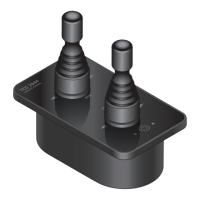
The direction buttons (TCD 2022) or the joystick (TCD 2042) are disabled.
3.9 -
Multiple controls in parallel
Several TCD series controls can be installed in parallel. In this case, it is possible to operate only one control at a time..
The active control is always the last one to be activated; the other parallel controls are automatically disabled. If a
command is sent to the thruster by the last control enabled, the boat movement direction will be indicated by the relative
LED which will light up also on the other disabled controls.
3.10 - Disabling/enabling the control sound
The acoustic signals emitted by the control can be disabled.
Carry out the following procedure:
• Remove power to the control.
• Keep the enabling key pressed and supply power to the control which will emit a short sound.
• Release the enabling key and wait for the control to test of the LEDs and be disabled (slow flashing of the enabling LEDs).
The acoustic signals emitted by the control can be re-enabled.
Carry out the following procedure:
• Remove power to the control.
• Keep the enabling key pressed and supply power to the control which will emit two short sounds.
• Release the enabling key and wait for the control to test of the LEDs and be disabled (slow flashing of the enabling LEDs).
4.0 - SYSTEM ERRORS
3.0 - OPERATION
5.0 - SYSTEM PROBLEMS
When the control is switched on, it may signal the presence of system errors.
4.1 - Flash checksum error
If the error is detected, all the LEDs will flash quickly.
In this case, contact an assistance centre or Quick
®
customer service as soon as possible.
System problems are listed below, divided into two categories:
automatic reset problems and manual reset problems.


 To Next Page