Operation
LF-100 User Guide 19
2. Pull the media through the aluminum rollers and attach the labels to the core using a
waste label.
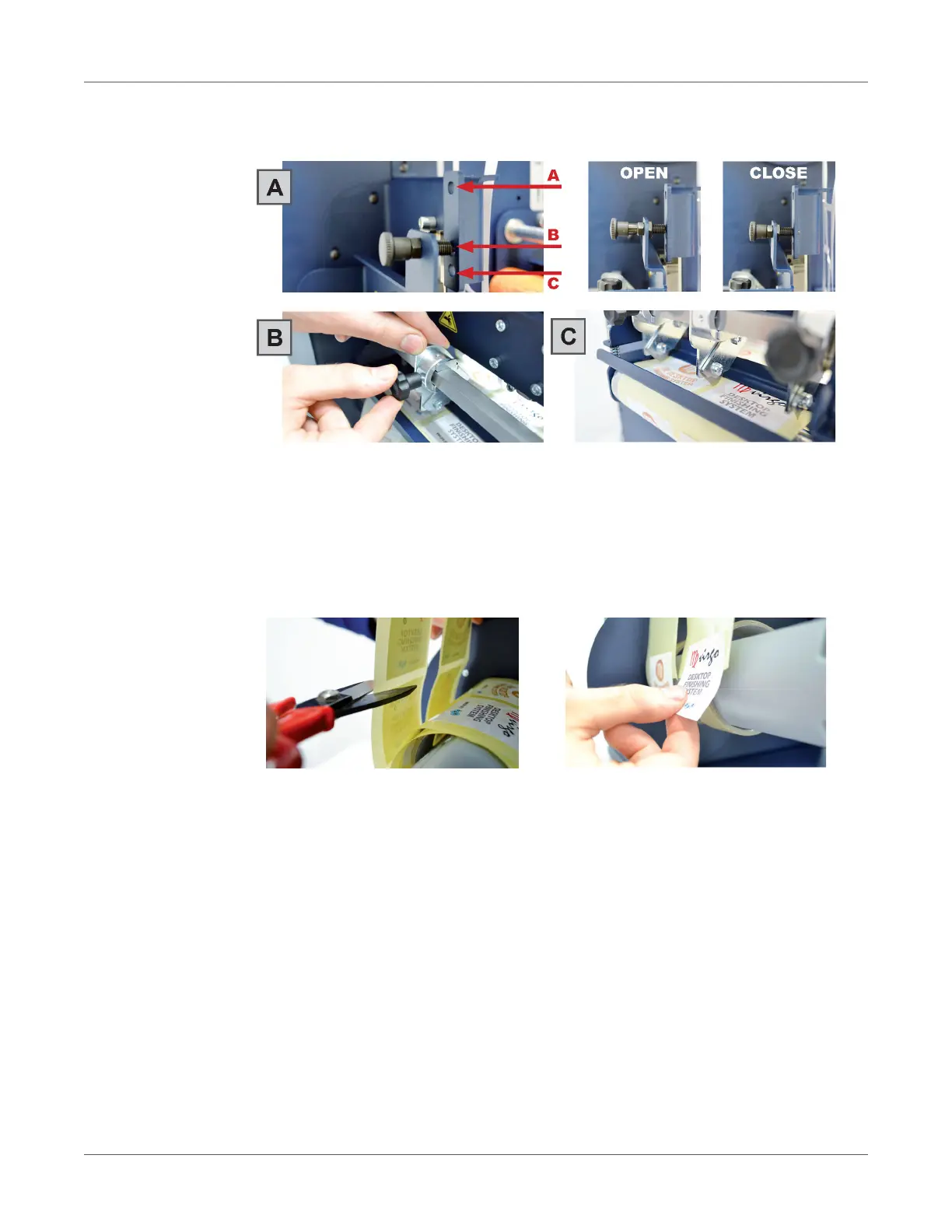
Slitter module has 3 positions:
• Upper position (A), the blades are lifted to allow the media loading.
• Middle position (B), align the blades with the edges and the center of the labels,
tighten the thumb screw once the blade is in position.
• Lower position (C), the blade cut the media.
3. Turn ON the Matrix Remover module to rewind and start to slit the media, then turn OFF.
4. Cut the labels when the first “good” labels are visible.
5. Make sure the tension on all rolls is even, and attach each label to the core using a waste
label or tape.
6. Turn the Matrix Remover module ON. Press Resume to continue.



 To Next Page