LF-100 User Guide 31
3
Maintenance
Graphtech Maintenance
Cutter Plunger
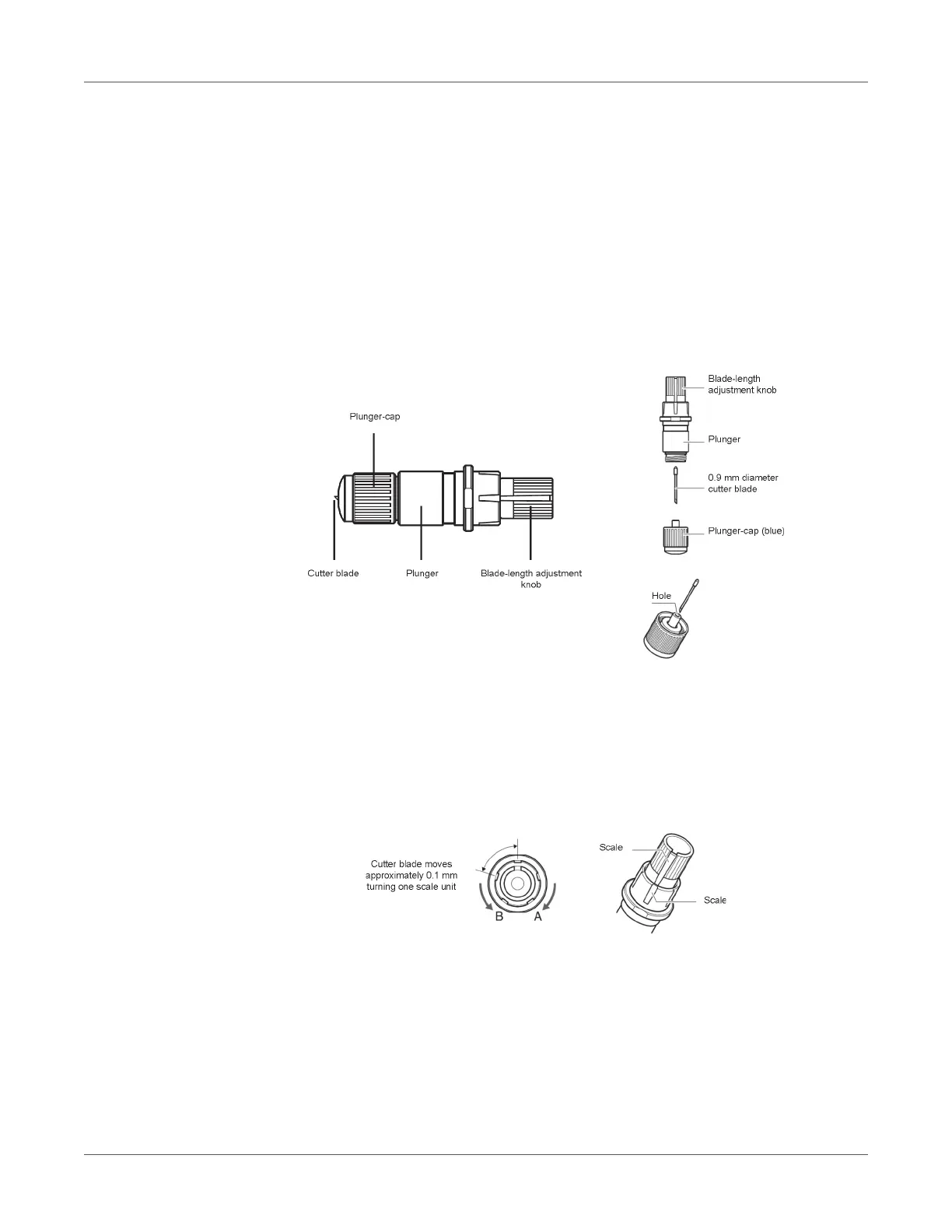
The plotter cuts using a cutter blade mounted in a plunger. There are two different plungers to
suit the diameter of the cutter blade to be mounted (the 0.9 mm cutter plunger is provided as a
standard accessory). Be sure to mount the cutter blade in the corresponding cutter plunger.
Warning: To avoid bodily injury, handle cutter blades with care.
Warning: It may result in damaging the cutter blade or the cutting mat if the blade is extended
too much. Make sure the blade length is set less than the thickness of the media.
Adjust the blade length by turning the blade-length adjustment knob. Turn the knob in direction
“A” to extend the blade, or in direction “B” to retract the blade. When the knob is turned by one
scale unit, the blade moves approximately 0.1 mm. One full turn of the knob moves the blade
approximately 0.5 mm.



 To Next Page