Operation
LF-100 User Guide 22
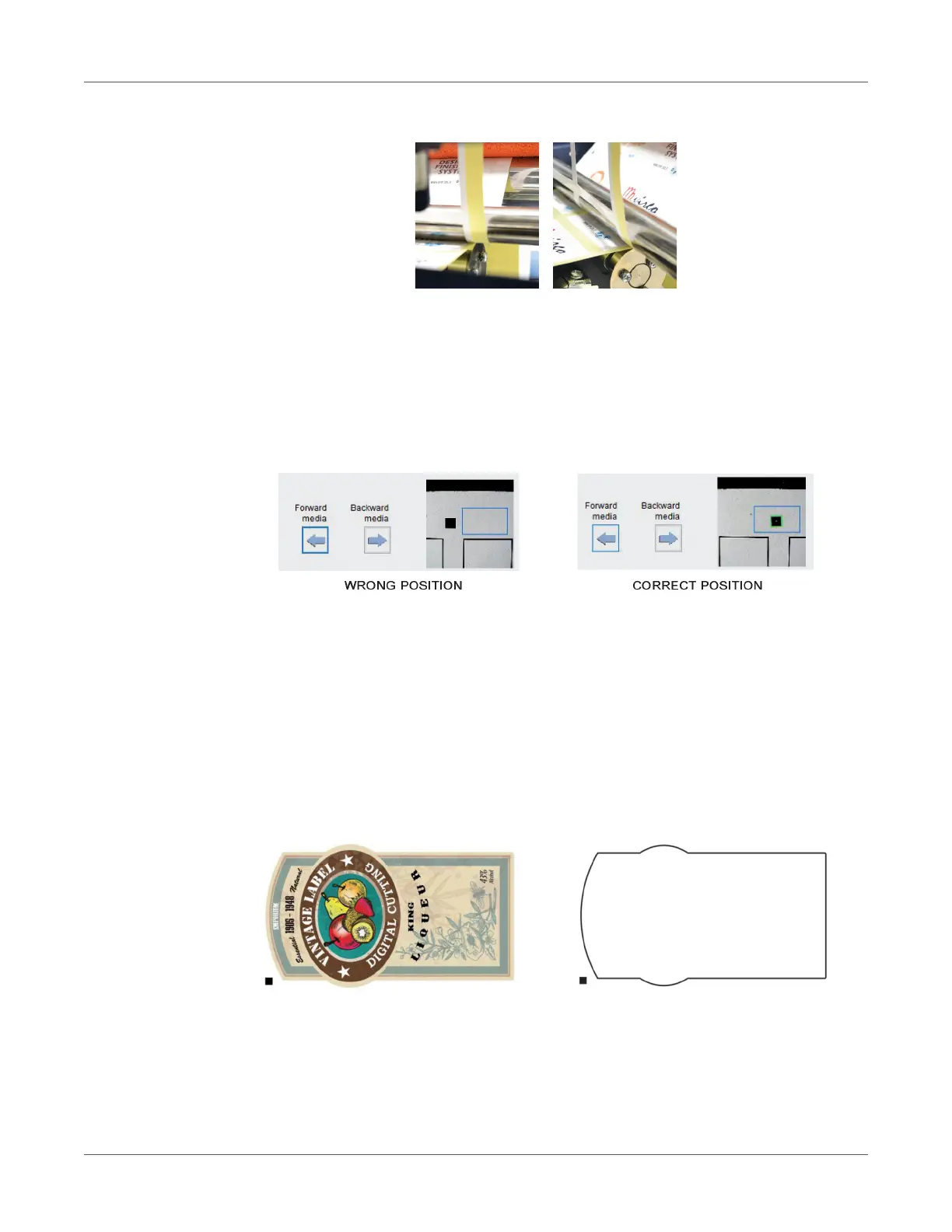
4. If done correctly, you should achieve the results displayed in the photos.
Warning: The cutting force of these blades are already calibrated for standard use.
Black-Mark Detection
It is important that the camera is reading the black mark properly.
Look at the camera preview, hold down “BACKWARD MEDIA” or “FORWARD MEDIA” arrows
to move the web until the black-mark goes in the center position of the blue rectangle area.
Cutting File Specifications
Cut Files: Adobe Illustrator and/or Corel Draw (save as PDF file).
The artwork file within the cutting shape must include a registration square black mark having
a size of 4x4mm or 2x2mm.
Only the cut lines and black mark (not needed for the blank labels) can be in the saved
cut file.
Graphics layers must be deleted or the cut line shapes must be copied in a new file and saved
instead of hiding or disabling any extra content.
The cutting shape must be 100% black (otherwise in case of dashed lines, it must be a 100%
magenta normal line) and have a thickness of 1 pt.



 To Next Page