Maintenance
LF-100 User Guide 34
Replace the Cutting Mat
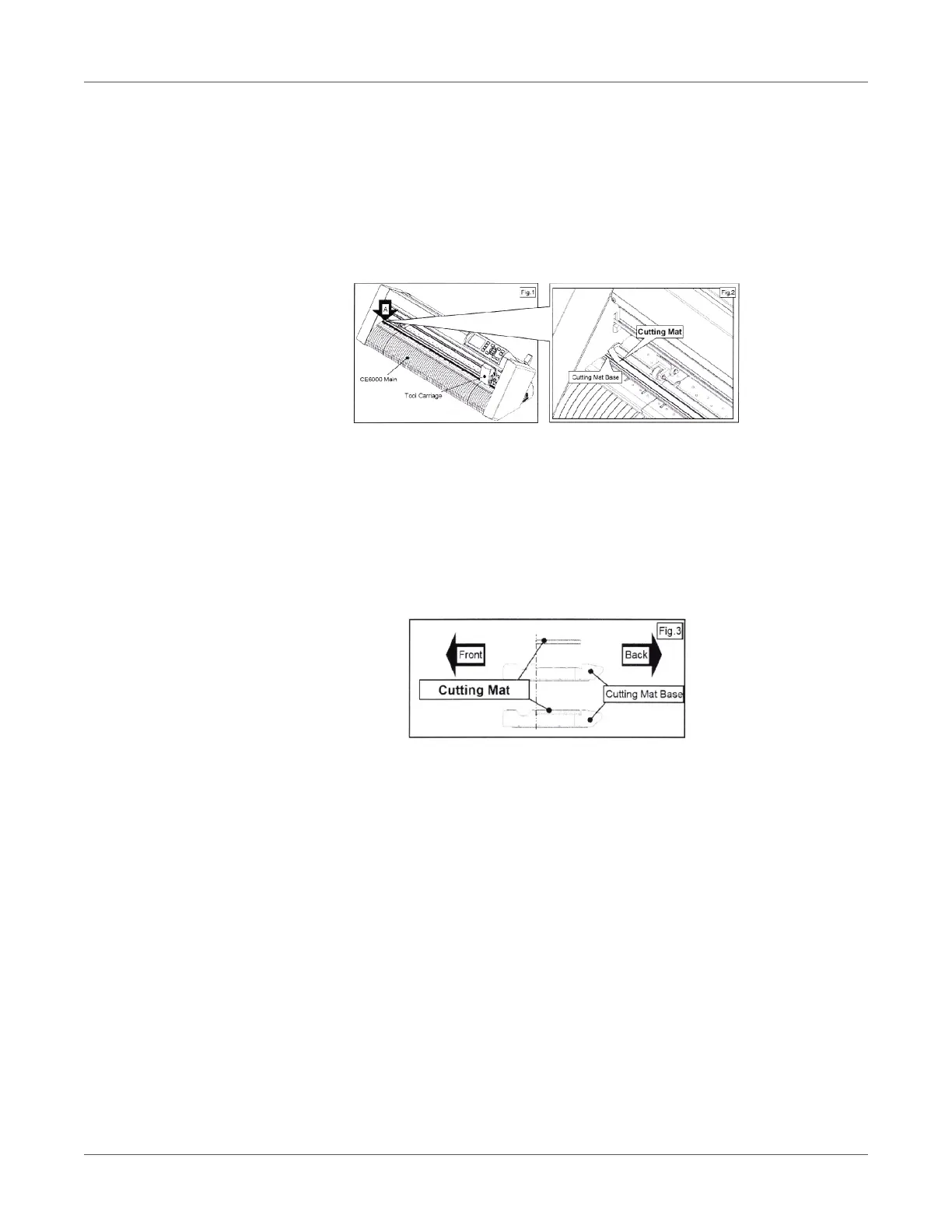
Caution: Please turn off the power when replacing the cutting mat. Please move the tool
carriage to “A” position allowing for ease of work.
1. Remove the cutting mat.
The cutting mat is attached to the cutting base (Fig. 2). Please remove only the cutting
mat from the cutting mat base from the location shown by the arrow (A) (Fig. 1).
After removing the cutting mat, please make sure that there is no adhesive tape or other
adhesives left on the cutting base.
Please clean the cutting mat base before installing the cutting mat.
Installing the cutting mat with the remaining adhesive may affect cut quality.
2. Install the cutting mat
Fit the cutting mat with the front cutting base grooves (Fig. 3) and attach it from the loca-
tion shown by the arrow (A) (Fig. 1) while peeling off the release paper.



 To Next Page